
pip install recursive-flow
tldr
recursive-flow is a Python library for building recursive agent graphs. It grows out of the Recursive Language Model interface — a model in a REPL, long inputs as ordinary Python data, and await launch_subagents([...]) for delegation — but the goal is broader than wrapping RLMs. The library turns recursive agent execution into a live Graph: every query, action, observation, child call, wait, resume, and result is a typed node.
The core engine is still one transition: step(graph) → graph. Every start / step returns a fresh Graph snapshot, so the trace and the execution are the same data structure. The same run can become a Rich live tree, a Mermaid diagram, a Gantt swimlane, a self-contained HTML stepper, or a Gradio viewer without turning on a separate tracing mode.
That graph allows you to inspect each subagent, render the trace, save/load runs, rewind snapshots, fork execution, and inject new states before continuing. The examples below walk through those graph operations on coding, research, and word-search runs.
Check out the code at: https://github.com/shyamsn97/recursive-flow
Introduction
Context rot is the failure mode every practitioner has hit: a Claude Code session that “gets dumber”, a Cursor chat that forgets the file you opened thirty messages ago, a research agent that can quote your prompt back but can’t use it. Anthropic defines it as recall degrading as the window grows: frontier models advertise 200k–1M tokens and degrade long before that. The tokens fit, the model just can’t reason over them all at once. Easy benchmarks miss this (RULER is constant-complexity and frontier models score 90%+), but Chroma, OOLONG, and lost-in-the-middle all show real degradation well below the nominal limit.
Existing fixes (bigger windows, retrieval, summarization, context-folding) each pick a decomposition strategy for the model, ahead of time. Even though they work in practice, they are also exactly the pattern Sutton’s Bitter Lesson warns about: hard-coded human structure that wins in the short run but loses in the long run to general methods that scale with compute. As capability improves, the fixed strategy becomes the ceiling.
Recursive Language Models
flip that. An LLM sits in a Python REPL with the long context bound
as a variable, and a single awaited launcher (launch_subagents)
lets it spawn fresh sub-agents with their own windows. From there the
model peeks, slices, greps, or recursively delegates only when it
decides to. RAG retrieves; RLMs investigate. In the original RLM
evaluation, the reported case is strong: RLM(GPT-5-mini) beats raw GPT-5
on a tough long-context benchmark at roughly the same API cost, and
holds up at 10M+ token corpora no direct baseline can fit
(post,
paper,
rlm-minimal,
verifiers).
But as the number of sub-agents grows, the tree gets hard to observe and control: parents spawn children, children spawn more children, results return upward, and a flat transcript hides almost everything you’d want to ask of the run. That’s where recursive-flow comes in. It keeps the RLM control interface, but promotes the recursive run itself into a first-class graph: inspectable while it is running, editable after it pauses, and reusable as a workspace artifact instead of a dead transcript.
RLMs as graphs
To better understand what this means, start with the canonical RLM demo: needle-in-a-haystack. The context is a huge synthetic document, and the goal is simple: find the secret code hidden inside it.
The root agent looks at the document, decides not to load the whole thing into context, and splits the haystack across a few sub-agents:
- one child scans the first third for the needle phrase,
- another scans the middle third,
- a third child scans the final third, finds several near-matches, and spawns two smaller children to inspect the candidate windows,
- a verifier child checks the candidate code against the original question,
- the root agent returns the final code.
Even though this is a small example, it gets messy fast: the root has children, and one of those children has children of its own.
Each child is recursive: it has the same tools, a REPL interface, and the ability to spawn more child RLMs through an awaited launch_subagents([…]) call. Payloads are passed as INPUTS, and the RLM runs until it calls done(value), where value is returned as a string in the parent call’s result list. This is very elegant and clean, but it also means that sub-delegation calls are not visible to the parent agent:
That’s the core problem with vanilla RLMs: a single
launch_subagents(...) call can hide an entire recursive subtree of LLM work,
and nothing about that subtree survives the return. Children can
delegate to children that can delegate to more children, and all the parent
ever gets is a str. When the answer is wrong, you can’t tell
which level of the recursion went off the rails; when the answer is
right, you can’t tell whether it was right for the right reason. The
abstraction is too clean: the act of delegating throws away exactly
the structure you’d want to debug, evaluate, or steer.
recursive-flow keeps that structure at every step: every recursive call is a sub-Graph, and every turn inside an agent is a typed Node state that you can step through, inspect, and replay:
Step 0 / 10 · root receives the query
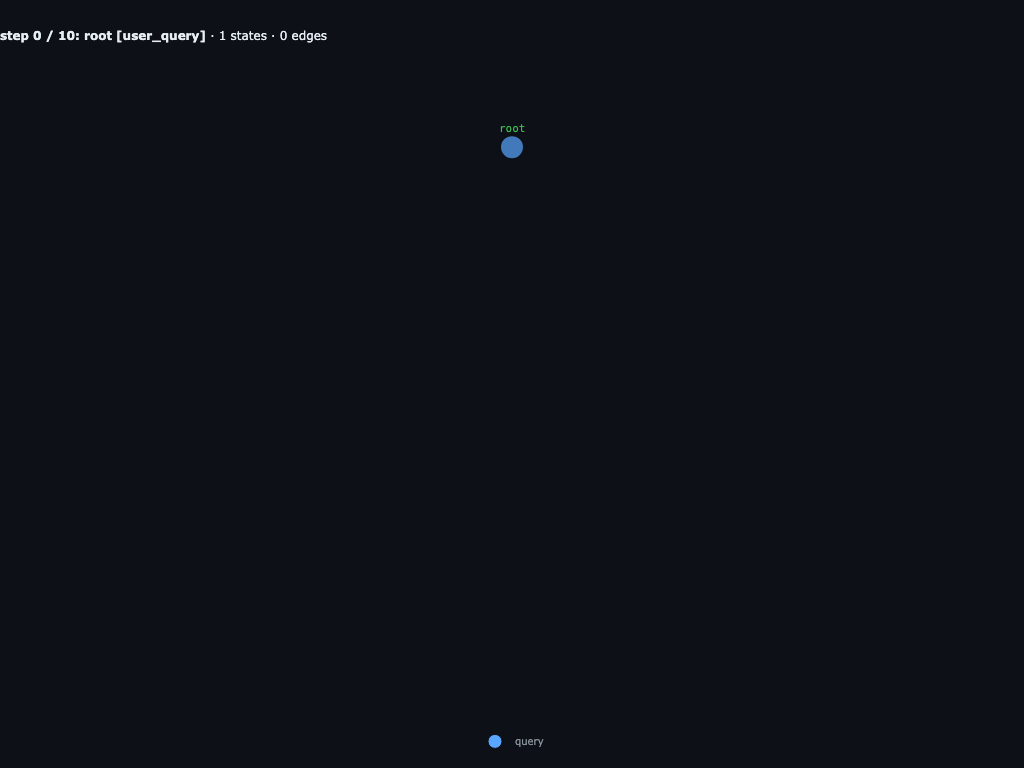
Only the root user_query node exists. The engine has passed the haystack through INPUTS["haystack"] and is about to call root's LLM.
Step 1 / 10 · root's LLM proposes its REPL block
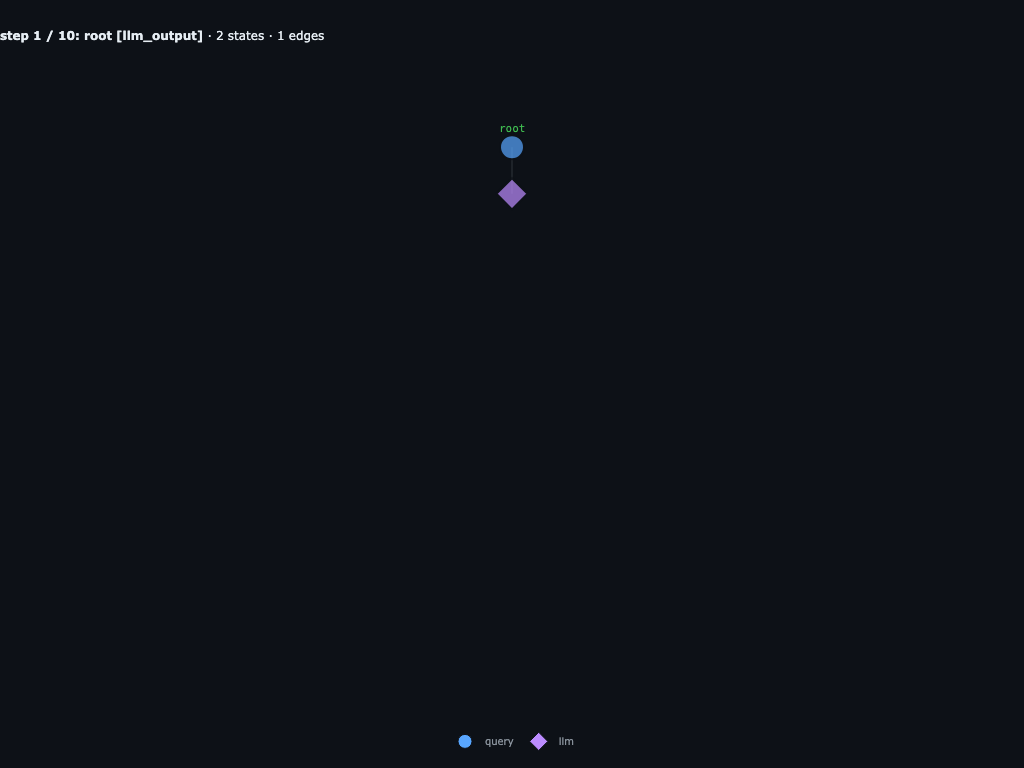
Root's first LLM call returns a REPL block that awaits one launch_subagents([...]) fan-out with three child specs. The graph now shows an llm_output hanging off root.
Step 2 / 10 · root parks on supervising
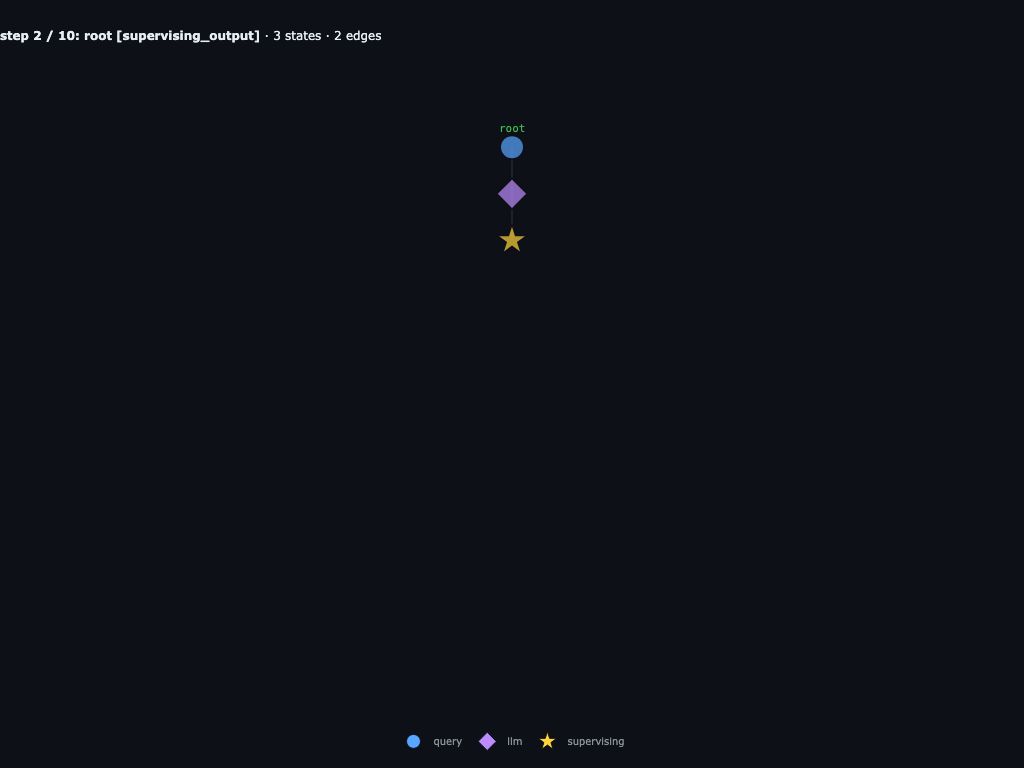
The REPL hits await launch_subagents([...]). The engine appends a supervising_output to root, records the children it is waiting on, and suspends its coroutine.
Step 3 / 10 · chunk_0, chunk_1, chunk_2 attached
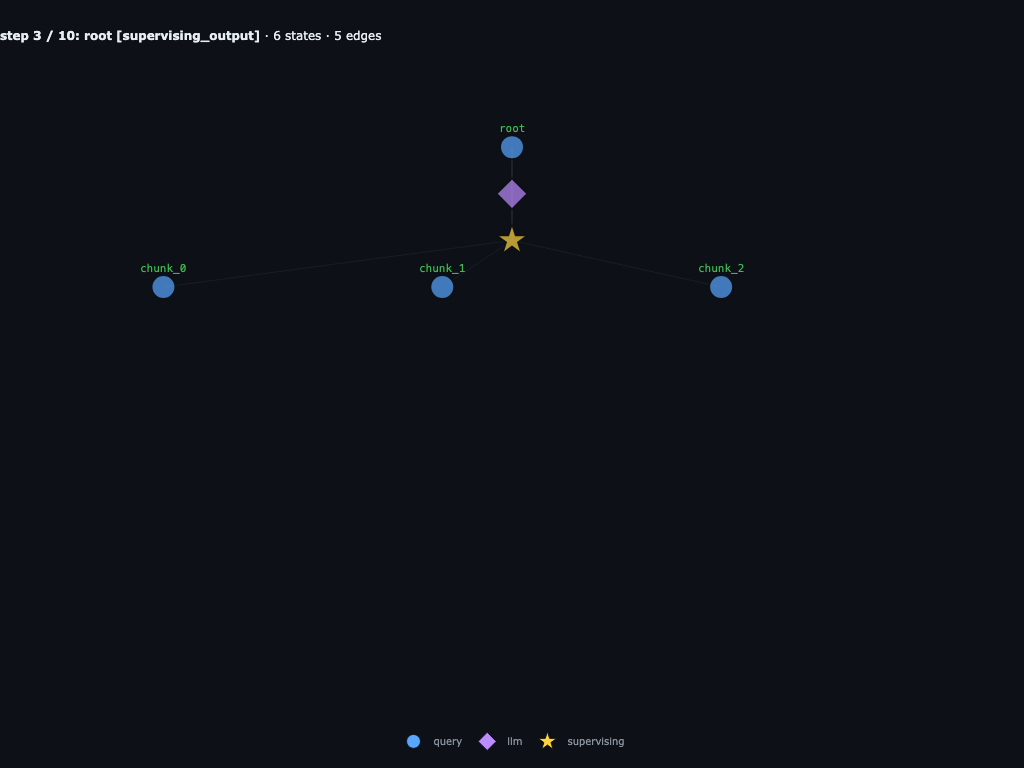
The scheduler attaches three new user_query nodes under root, one per launcher spec. Each is its own runnable subtree with its own INPUTS. Same moment as code phase 1.
Step 4 / 10 · chunks call their LLMs in parallel
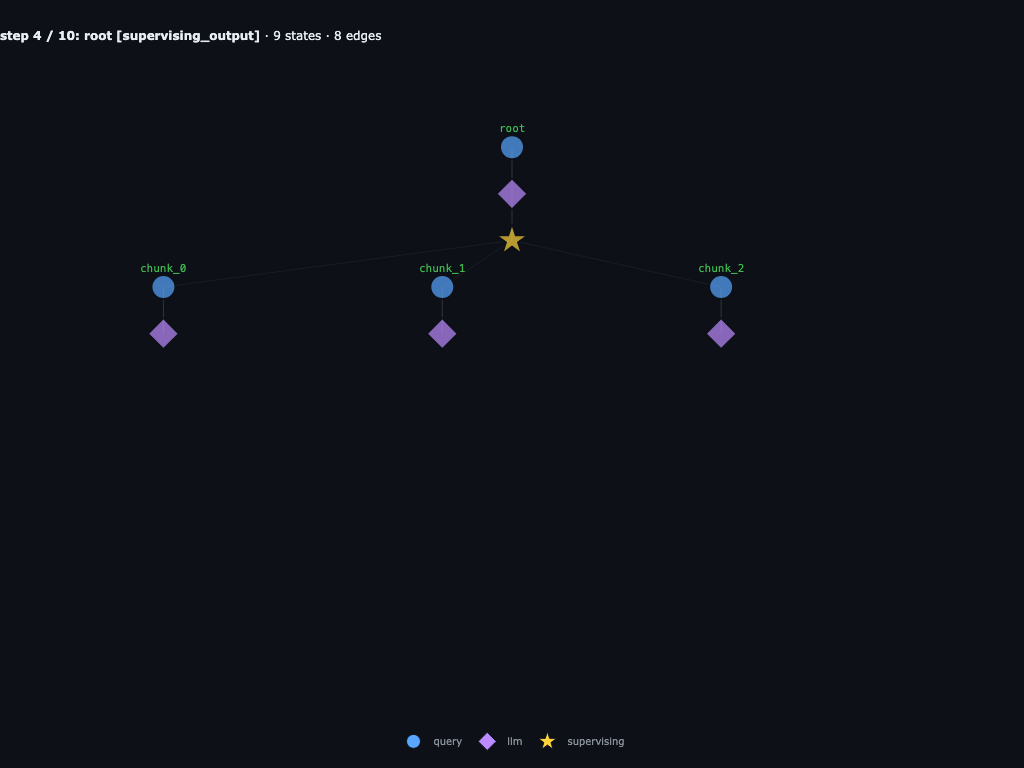
Each chunk is a leaf and runnable, so the engine schedules an llm_action on all three at once. With infinite cores they all step in the same wave.
Step 5 / 10 · chunk_0 + chunk_1 finish
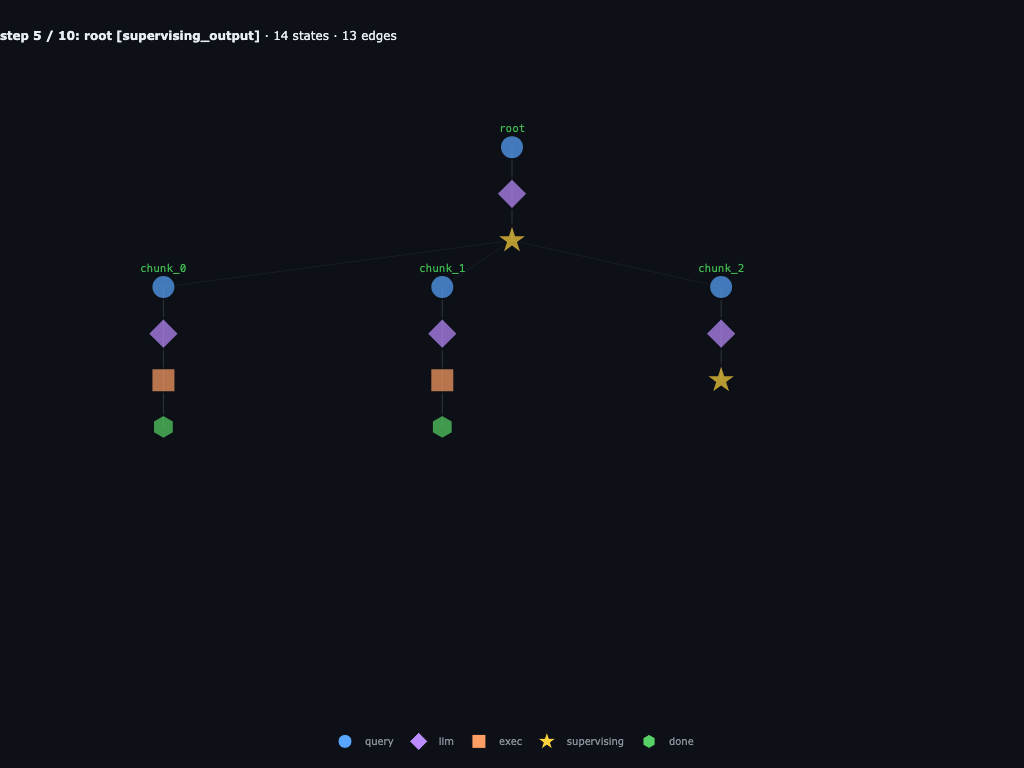
chunk_0 returns "not found" and chunk_1 returns "decoy, no code". They're now terminal subtrees. chunk_2 is still in its REPL and about to sub-delegate.
Step 6 / 10 · chunk_2 attaches candidate_a, candidate_b
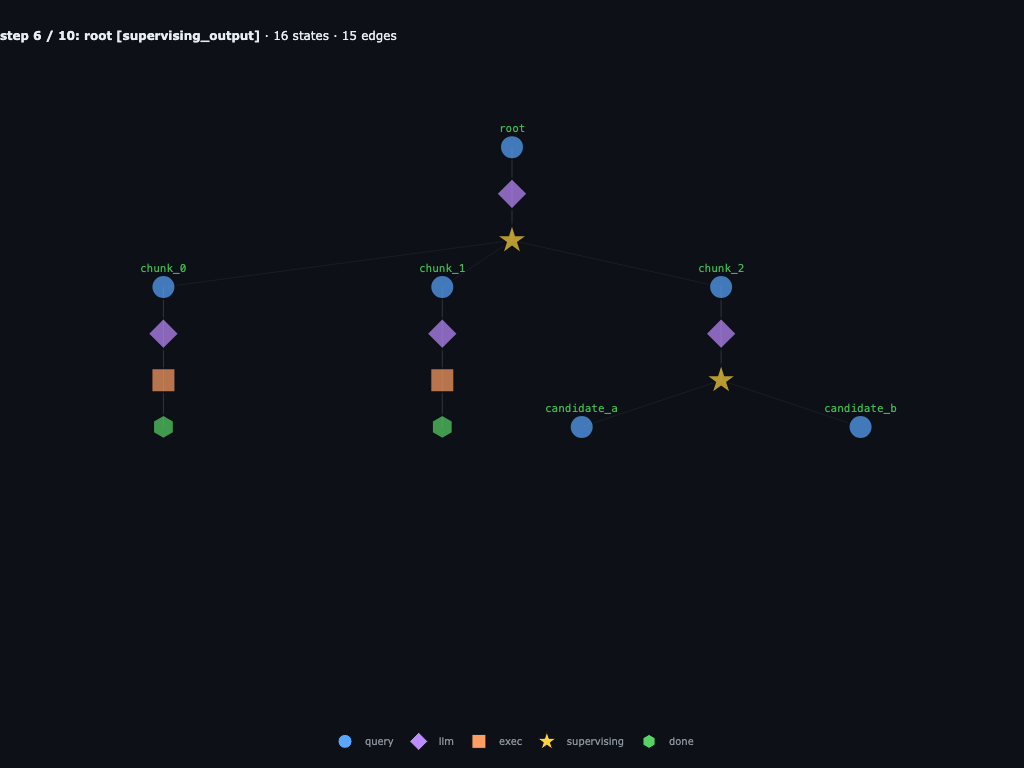
chunk_2's sub-LLM hit its own awaited launcher, so the engine adds two grandchildren under chunk_2. chunk_2 parks on supervising_output. Same moment as code phase 2.
Step 7 / 10 · candidates call their LLMs
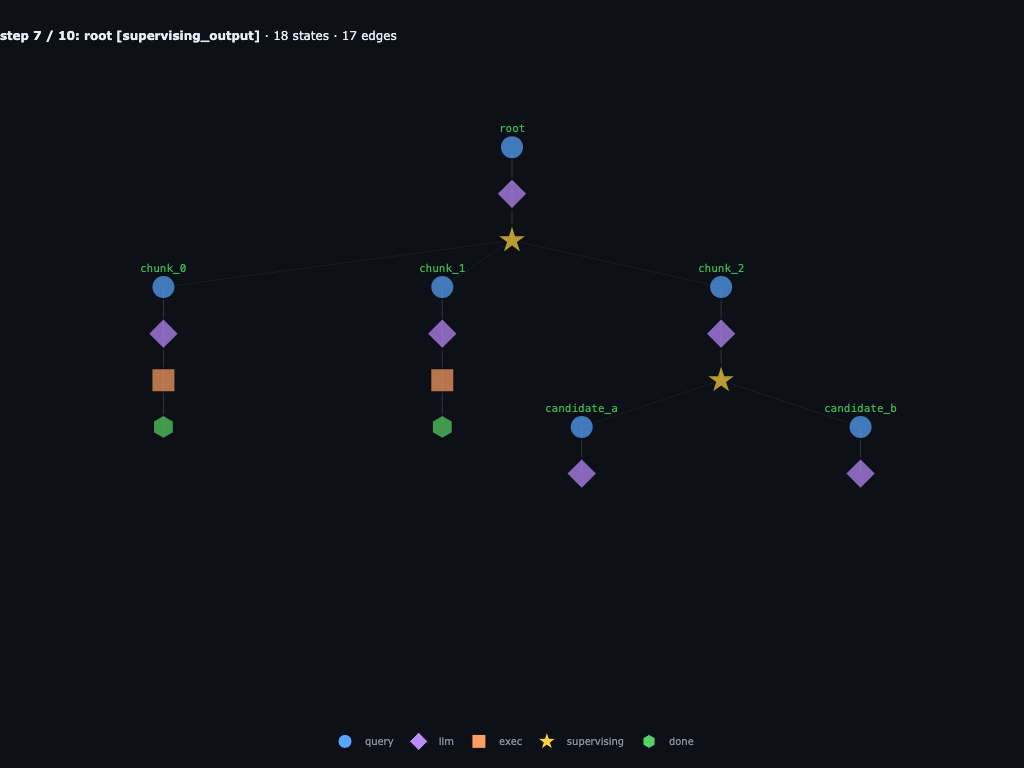
Peak recursion depth: root → chunk_2 → candidate_* are all active in different parts of the tree. Two parent coroutines are suspended on awaited launchers. Same moment as code phase 3.
Step 8 / 10 · candidates finish
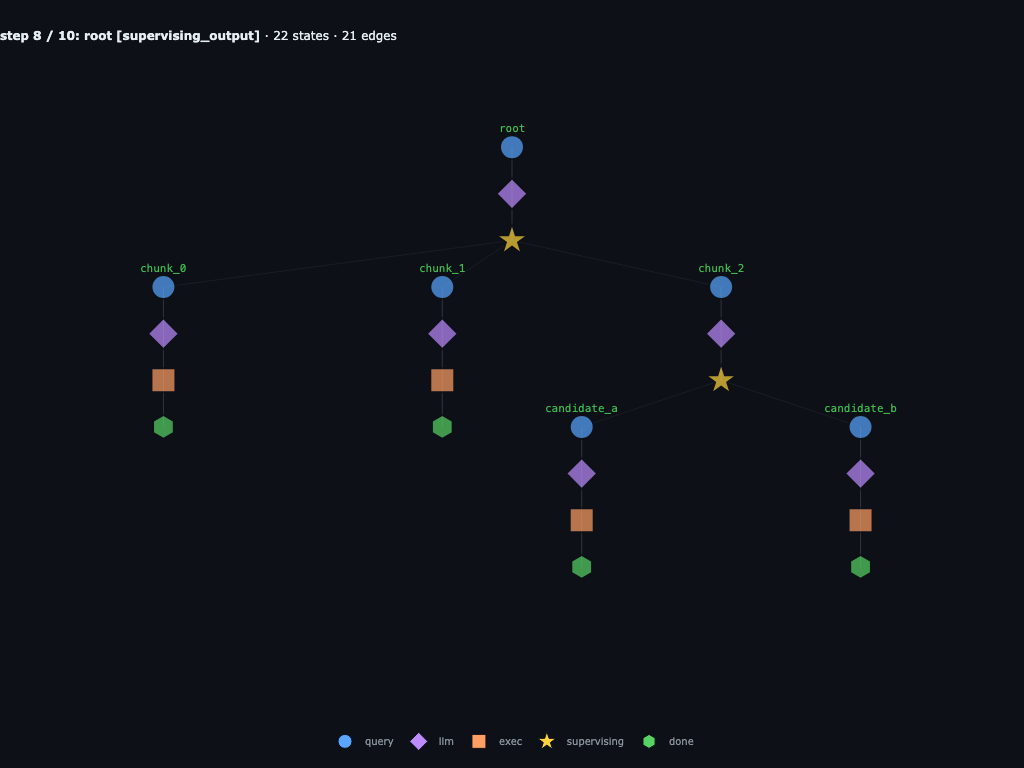
candidate_a returns the decoy line and candidate_b returns the needle. Both subtrees are terminal. chunk_2's awaited launcher resolves and its coroutine resumes.
Step 9 / 10 · chunk_2 returns “candidate code 84721”
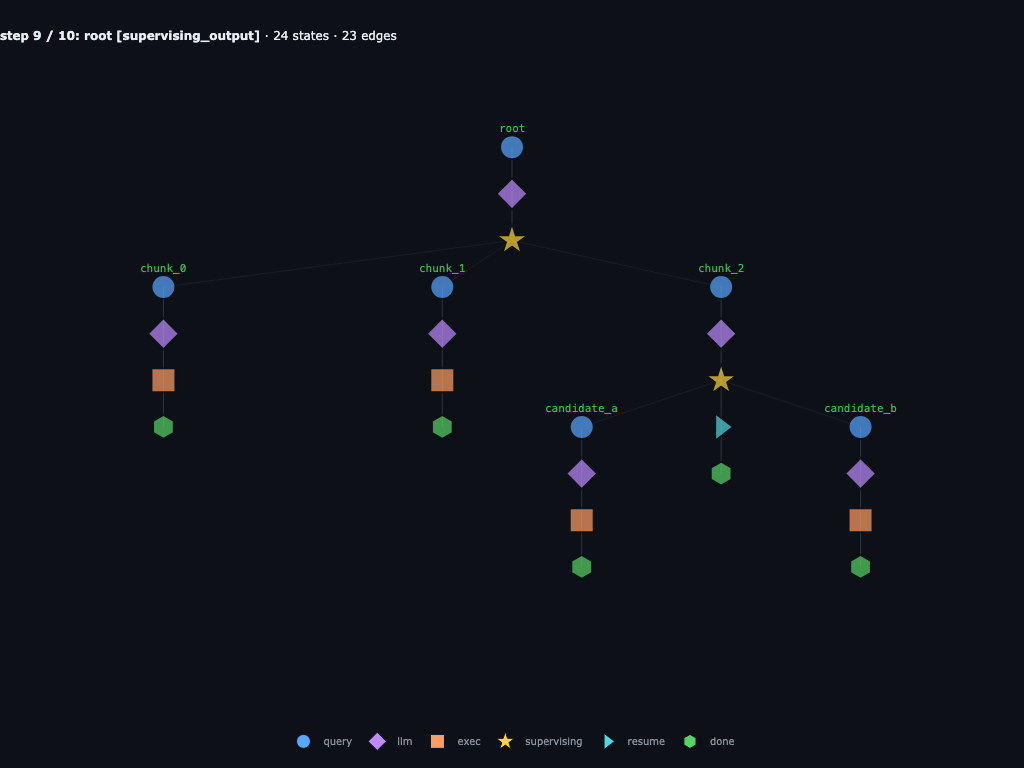
Three frames of recursive work collapse into one string visible to root. From root's perspective, chunk_2 is no different than chunk_0 or chunk_1 — just a function call that returned.
Step 10 / 10 · root resumes and returns 84721
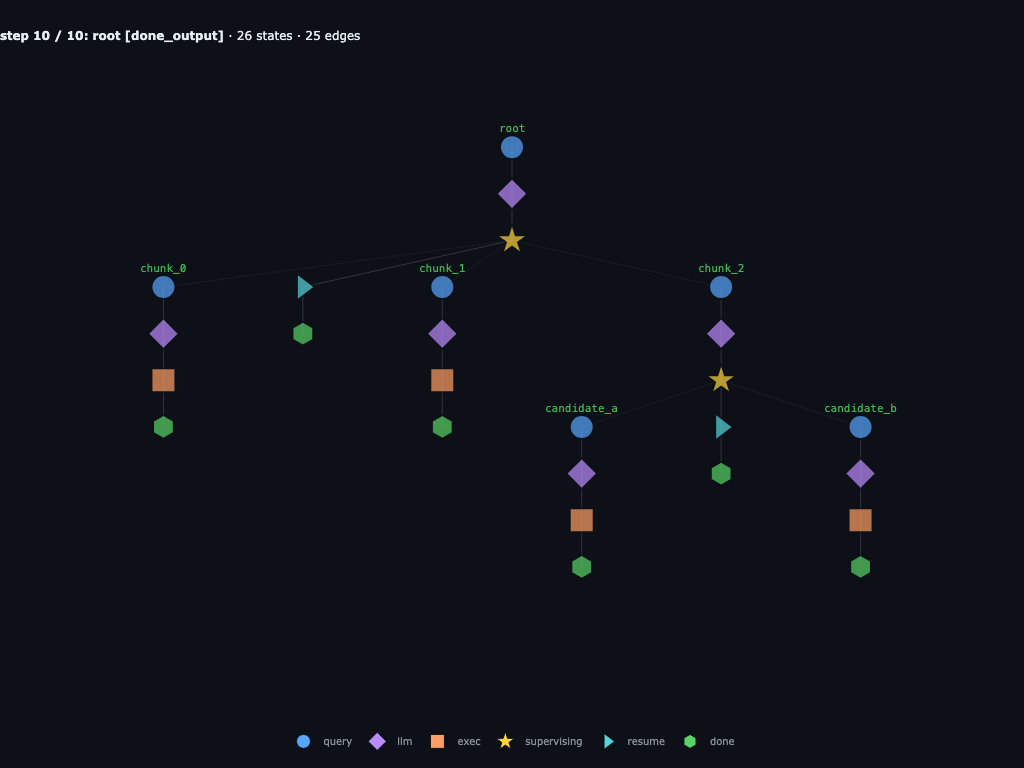
Root's awaited launcher resolves to the three strings and its coroutine runs done("84721"). Every subtree is terminal. Same moment as code phase 4 — but here we can still inspect every collapsed sub-frame.
Same run, but now with step-by-step execution. When root hits its supervising
node, the run pauses there, and you can see exactly what’s runnable
next: root.chunk_0, root.chunk_1, root.chunk_2. They each
advance on their own, so the parallel work actually shows up as
parallel work instead of getting flattened into one linear
conversation.
Same thing happens a level down. root.chunk_2 hits its own
supervising node, and root.chunk_2.a and root.chunk_2.b take over
while both their parents sit waiting. Once those two finish,
root.chunk_2 picks back up, returns 84721, and only then does
root resume to verify the answer.
The key property of this graph abstraction is that no matter how deep the run gets, you keep control over each step of each recursive agent call. A failed branch is not just an opaque string return; you can inspect the exact child, turn, source or error state, resume point, and even fork the graph.
In code, the whole control loop is just:
flow = rflow.Flow(
    rflow.OpenAIClient(model="gpt-5"),
    max_depth=2,
    child_max_iters=10,
)

graph = flow.start(
    "Find the magic number in `INPUTS[\"haystack\"]`.",
    {"haystack": huge_text},
)

while not graph.finished:
    graph = flow.step(graph)
    print(graph.tree())

print(graph.result())
graph.save("runs/needle")
Every call to step returns a new Graph snapshot. The snapshot is both the scheduler state and the trace: graph["root.chunk_2"] gives you a child subgraph, graph.all_nodes.errors() finds every failure, and Graph.load("runs/needle") can resume the run later.
recursive-flow internals
Like the original RLM implementation, recursive-flow gives each agent a stateful Python REPL. The current public surface is centered on four pieces: a Flow engine, a runtime that owns tools and a working directory, one awaited delegation launcher (launch_subagents([...])), and a self-contained Graph object that acts as both the execution state and the control surface for the run.
Spawning recursive agents
The agent uses await launch_subagents([...]) as its method of spawning children. It always takes a list of child specs and always returns a list[str] in the same order. A one-child delegation is just a one-item list:
[answer] = await launch_subagents([
    {"name": "child_0", "query": "scan this chunk", "inputs": {"chunk": chunk}},
])
done(answer)  # bubbled up to the parent
Because each child is its own Graph, the scheduler can see the whole recursive tree. Each step(graph) advances one observation-to-observation transition for every ready agent; when a parent is waiting on children, the runnable children fill the worker pool until the waited-on set is done. If eager_children=True, fast children can keep draining follow-up work while slower siblings are still running.
await launch_subagents(...) is a Python coroutine suspension point, where each REPL block is wrapped in an async def shell and driven by the engine through coro.send():
async def __rlm_coro__():
    results = await launch_subagents([
        {"name": "search", "query": "...", "inputs": {"chunk": chunk_a}},
        {"name": "verify", "query": "...", "inputs": {"chunk": chunk_b}},
    ])   # suspend here
    done(combine(results))

out = coro.send(None)              # run until the await
# out is a WaitRequest([search, verify]); the engine suspends the parent
# and steps the child graphs until they're terminal
results = [c.result() for c in children]
coro.send(results)                 # resume; `results` is now the list
This lets us step all the leaves of the graph in parallel, before continuing the REPL block.
Concretely, one call to step(graph) on a tree with two leaves, one supervising parent, and one supervising grandparent looks like this — every leaf gets stepped at once, then the parents whose awaited child set has settled run on the next step:
Inputs, context, and run persistence
The parent talks to a child in two parts: a query that says what to do, and inputs that carry the data to do it with. This is the same role CONTEXT plays in the original RLM setup — giving the child a bounded piece of the larger problem — but made explicit as a dictionary instead of one global variable.
graph = flow.start(
    "Find the magic number in `INPUTS[\"haystack\"]`.",
    {"haystack": huge_text},
)

haystack = INPUTS["haystack"]
lines = haystack.splitlines()

results = await launch_subagents([
    {
        "name": "chunk_0",
        "query": "Search your chunk for the magic number.",
        "inputs": {"chunk": "\n".join(lines[: len(lines) // 2])},
    },
    {
        "name": "chunk_1",
        "query": "Search your chunk for the magic number.",
        "inputs": {"chunk": "\n".join(lines[len(lines) // 2 :])},
    },
])
Inside root.chunk_0, the child sees the query plus INPUTS["chunk"]; it does not see the full haystack unless the parent passes it. Recursion is just this repeated: size up the current context, send narrower query / inputs pairs downward, then combine the returned strings upward.
The durable artifact is the Graph itself. Graph.save(path) writes a self-contained run directory and Graph.load(path) rehydrates the same recursive shape:
run/
├── graph.json
└── agents/
    ├── root/
    │   ├── agent.json
    │   ├── session.jsonl
    │   ├── latest.json
    │   └── child_a/
    │       ├── agent.json
    │       ├── session.jsonl
    │       └── latest.json
For coding agents, generated files live in the runtime’s working_directory; if you save the graph beside that directory, the trace and produced files can travel together.
Recursive Coding Agent
Here’s all you need for a recursive coding agent, built with rflow, equipped with recursive calling, grep, and filesystem operations:
from pathlib import Path

import rflow
from rflow.tools import FILE_TOOLS

WORKDIR = Path("./notebook-coding-agent").resolve()


def build_agent(
    workdir: str | Path = WORKDIR,
    max_depth: int = 3,
    max_iters: int = 30,
) -> rflow.Flow:
    """Construct a coding agent like examples/coding/agent.py."""
    workdir = Path(workdir).resolve()
    workdir.mkdir(parents=True, exist_ok=True)

    runtime = rflow.LocalRuntime(working_directory=workdir)
    runtime.register_tools(FILE_TOOLS)

    return rflow.Flow(
        rflow.OpenAIClient(model="gpt-5"),
        runtime=runtime,
        max_depth=max_depth,
        max_iters=max_iters,
        max_concurrency=8,
        llm_clients={"fast": rflow.OpenAIClient(model="gpt-5-mini")},
    )
And the whole main loop:
query = ...
agent = build_agent(max_depth=3)
graph = agent.start(query)
while not graph.finished:
    graph = agent.step(graph)

# print final graph
print(graph.tree())
Boids Simulation
In this example we want to generate a boids simulation in pure html and javascript.
TASK = """Create a runnable browser-based boids simulation in plain HTML, CSS, and JavaScript.

Requirements:
- The main runnable interface is `index.html`.
- Use separate files for:
    - `index.html`
    - `style.css`
    - `boids.js`
- Do not use build tools or external libraries.
- Use a dark color background.
- Do not use ES modules; wire scripts with `<script src="..."></script>` tags.
- Render 100s of colorful boids on a 2D canvas. Do not add configurations, just the canvas.
- Verify that all files exist, script tags are ordered correctly, and the JavaScript has no obvious syntax/runtime wiring errors before returning.
"""

agent = build_agent(max_depth=2, workdir="./boids-sim-workspace")
graph = agent.start(TASK)
while not graph.finished:
    graph = agent.step(graph)
A generated boids simulation actually built by the recursive agent:
The recursive graph, with the important highlighted steps of the run:
Step 0 / 14 · root receives the boids task
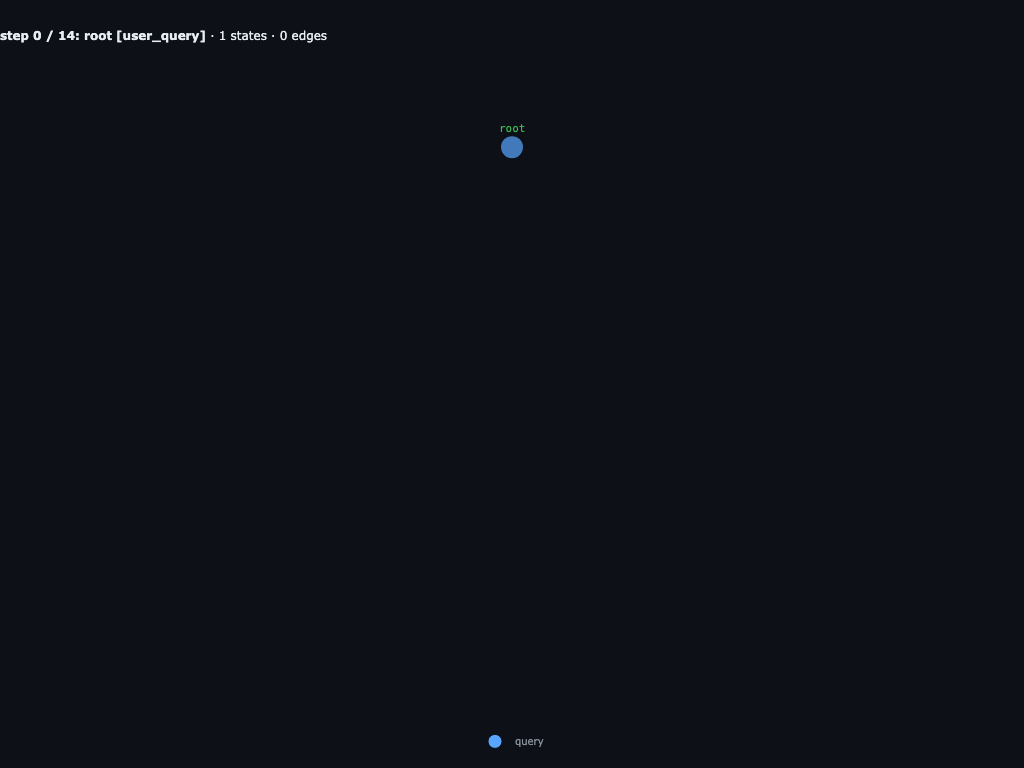
The run starts as one root query: build a browser boids simulation with exactly
three root files, index.html, style.css, and
boids.js. The constraints are deliberately simple: no build tools, no
external libraries, no ES modules, a dark fullscreen canvas, and hundreds of colorful
boids.
Step 1 / 14 · root inspects the empty workspace
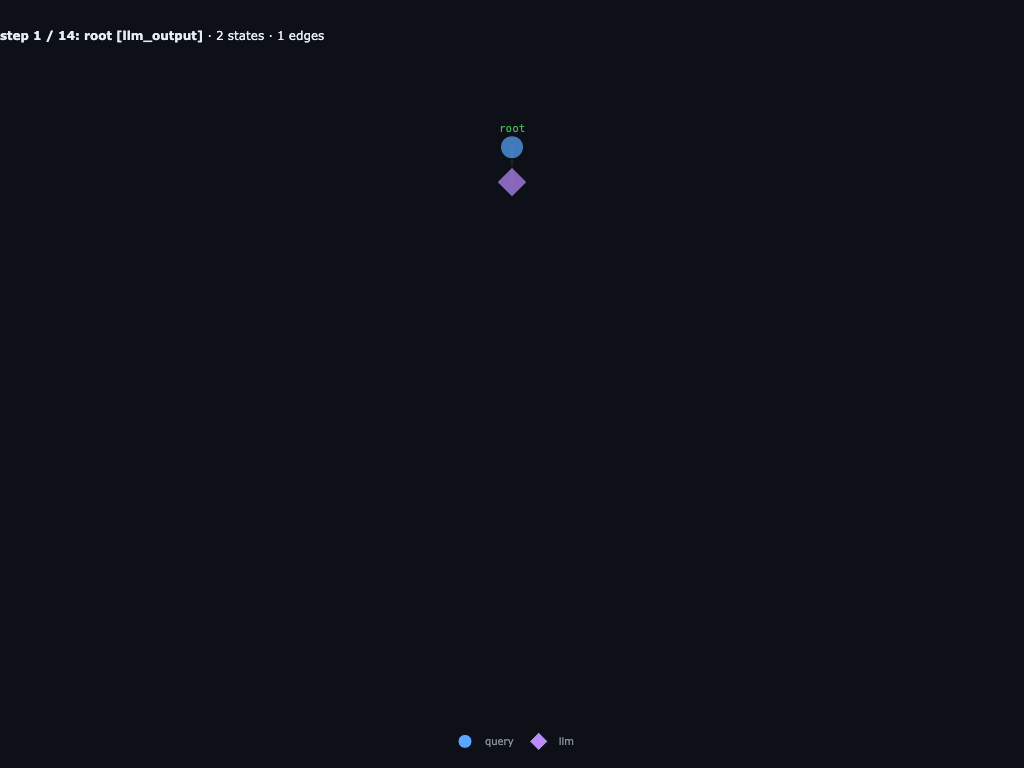
Root's first REPL block inspects the available variables and runtime tools. The important discovery is
that the task inputs are empty but the runtime exposes file tools plus
launch_subagents, so root can orchestrate the work instead of writing
every file itself.
Step 5 / 14 · root fans out into three file-writing agents
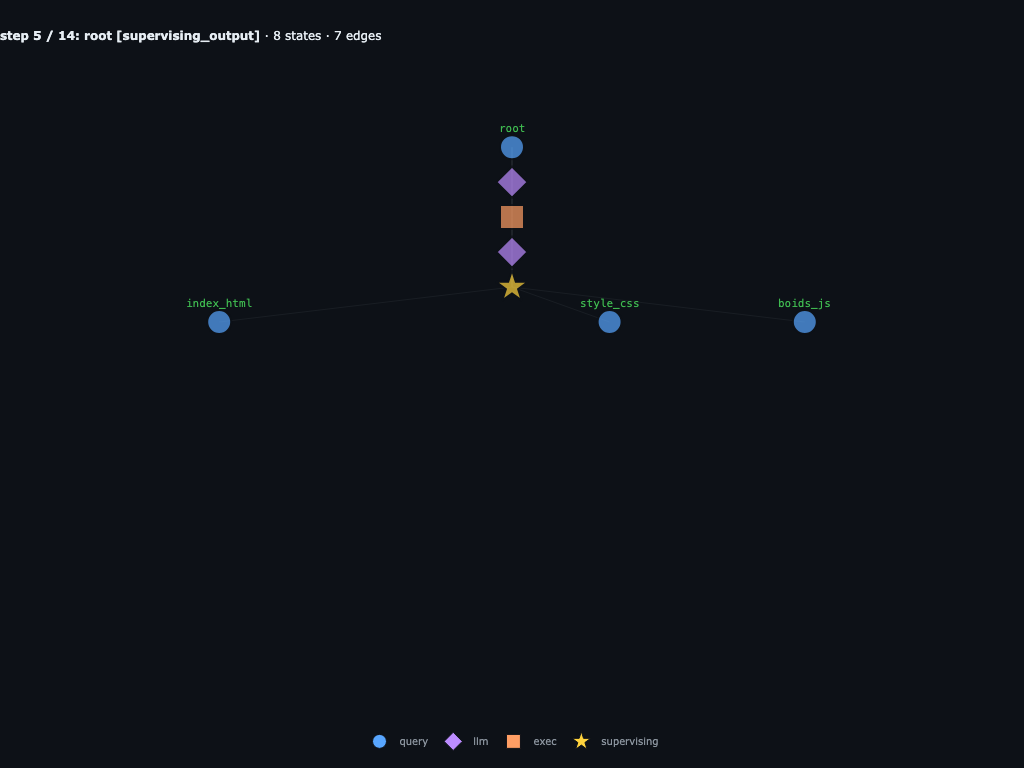
Root builds a shared contract, then launches exactly three children:
root.make_index_html, root.make_style_css, and
root.make_boids_js. Each child gets the common constraints plus a
file-specific spec. Root then parks on a supervising node while those children own
the implementation.
Step 7 / 14 · all three children are executing in parallel
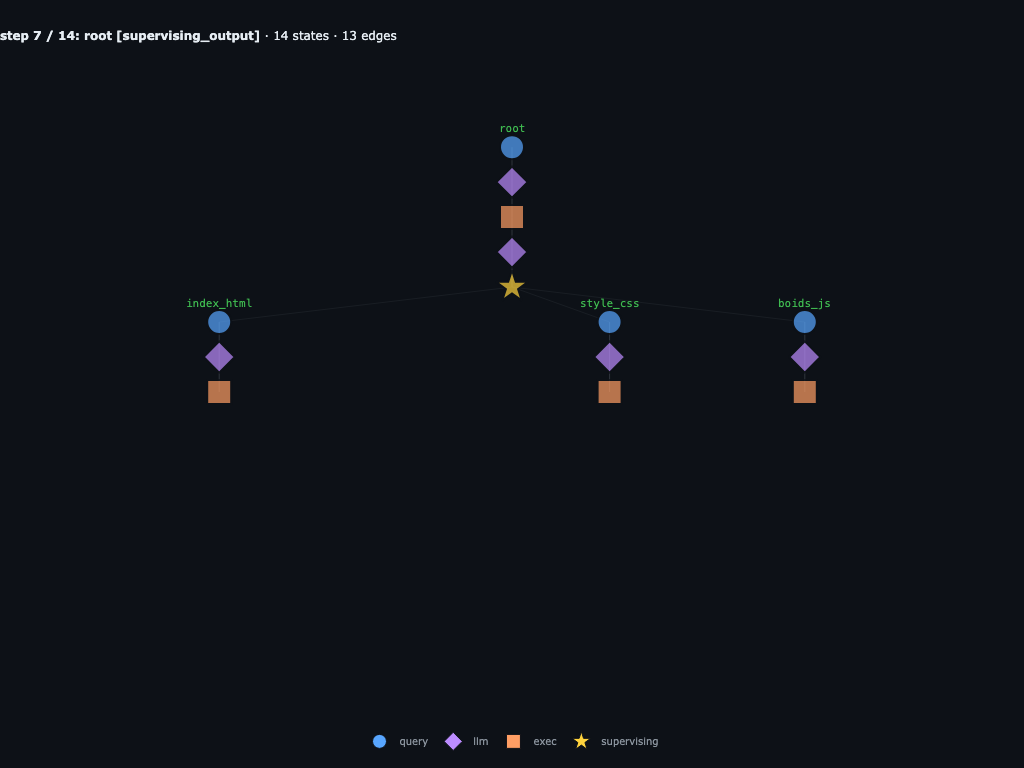
The first child wave is visible as three columns. Each child has inspected its
own INPUTS and moved into execution: the HTML child writes the page,
the CSS child prepares the fullscreen dark theme, and the JS child starts the
full boids implementation.
Step 10 / 14 · HTML and CSS finish; boids.js takes one more turn
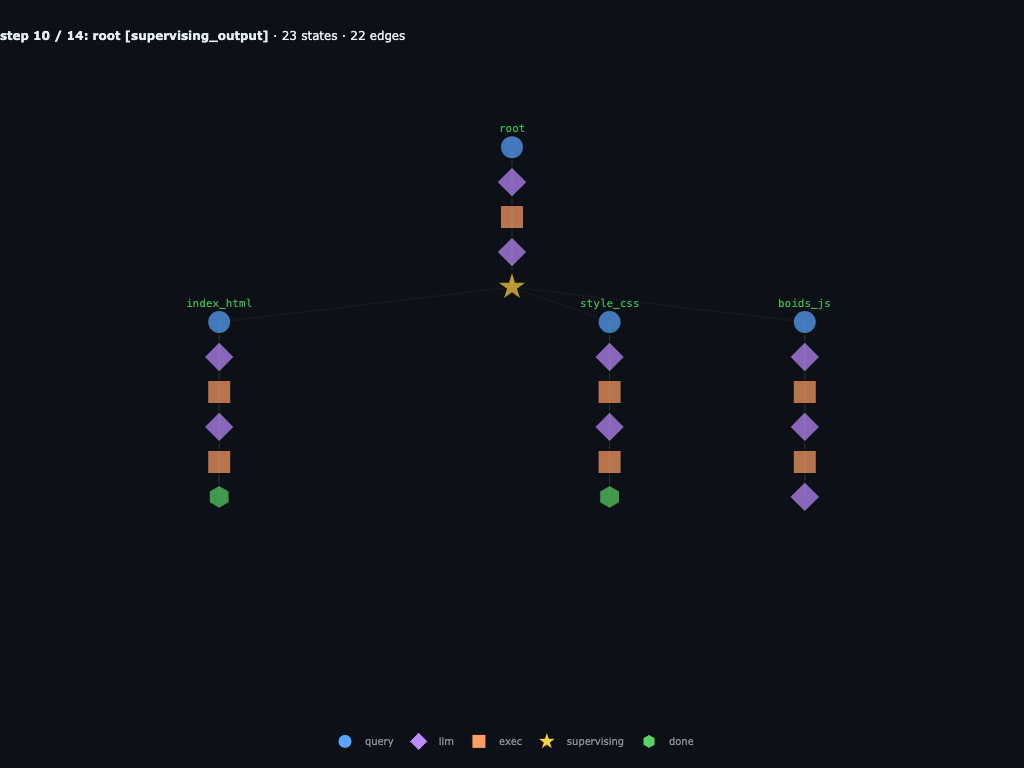
make_index_html and make_style_css have reached
terminal done. make_boids_js has already written
boids.js, but it takes another LLM/exec turn to call
done("Created boids.js"). The generated JS is a 7.4KB IIFE with a
HiDPI canvas, spatial hash grid, alignment/cohesion/separation rules, edge wrap,
and HSL triangle boids.
Step 12 / 14 · root resumes and catches a wiring bug
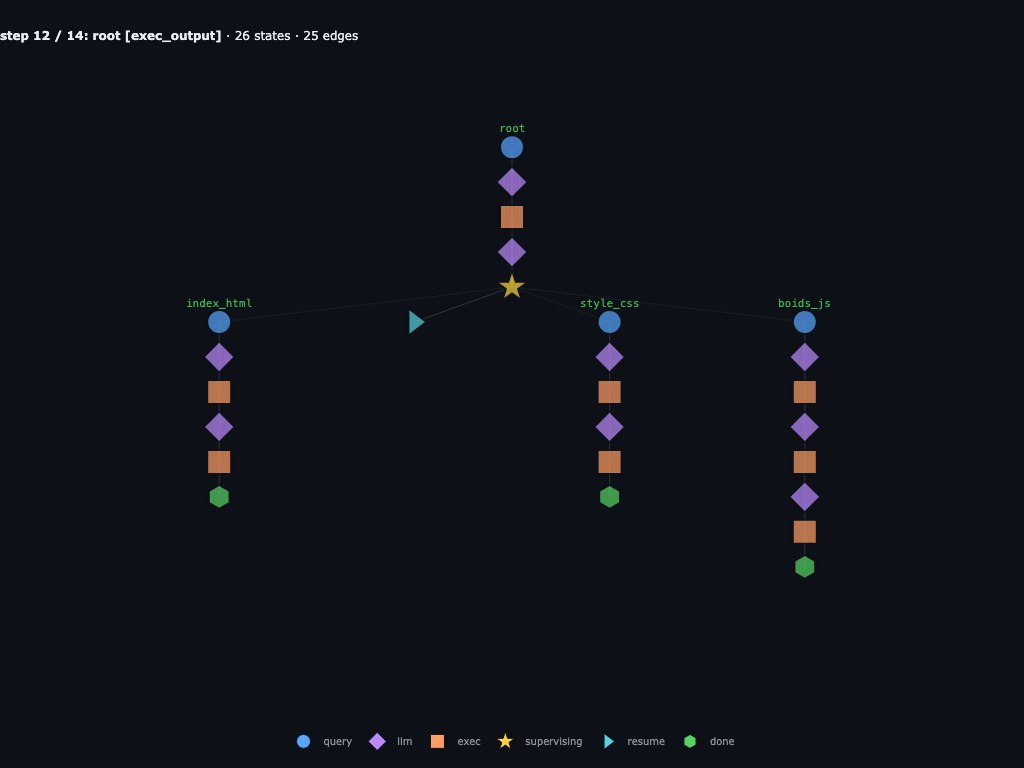
The three child results return to root. Root audits the workspace and prints:
index.html is 299 bytes, style.css is 393 bytes, and
boids.js is 7462 bytes. The static checks catch a real integration
bug: index.html created <canvas id="boids">, while
boids.js looks up boidsCanvas.
Step 13 / 14 · root patches the generated workspace
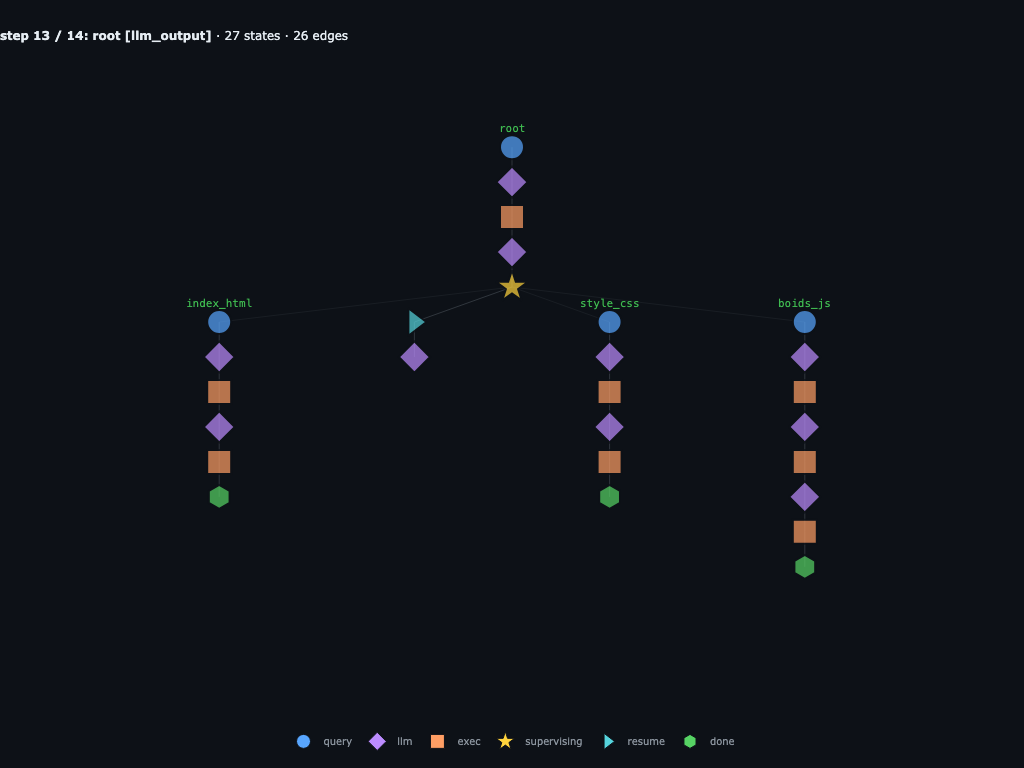
Root's next LLM turn writes the repair directly into the workspace:
edit_file("index.html", ('id="boids"', 'id="boidsCanvas"')). It
then re-runs the same checks for the stylesheet link, classic script tag order,
balanced JS delimiters, requestAnimationFrame, and the canvas lookup.
Step 14 / 14 · validation passes and root finishes
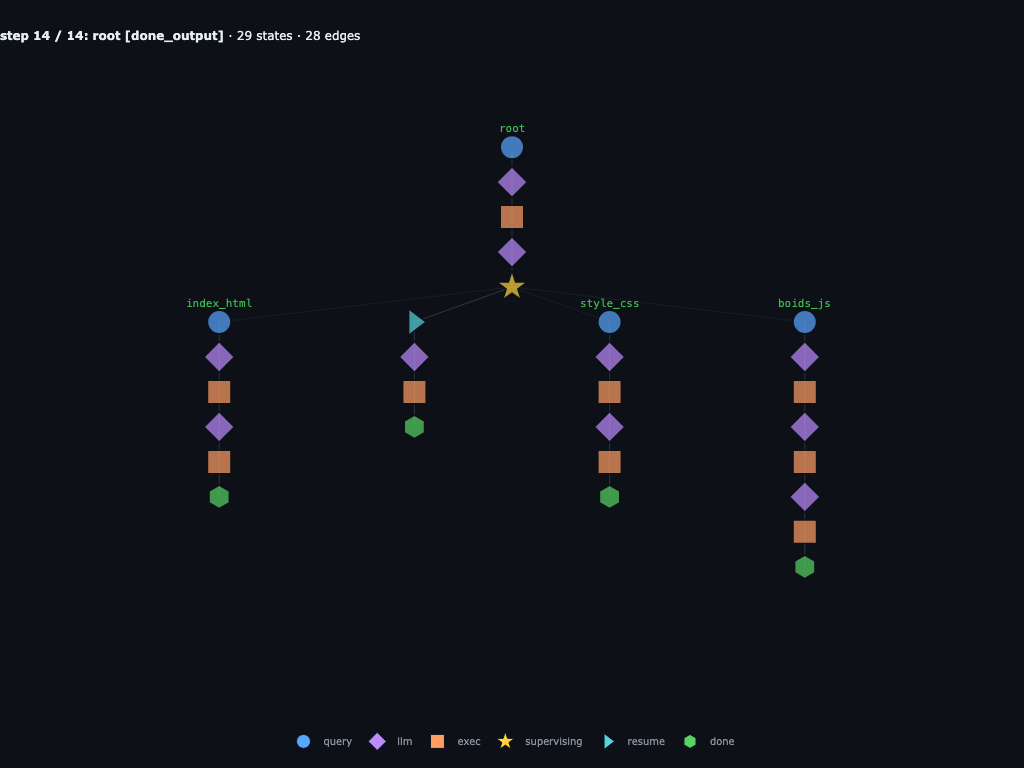
The final exec prints Re-validation errors: [] and root returns:
"Boids simulation is ready. Files created: index.html, style.css,
boids.js." The persisted graph has 29 states and 28 edges: root, three
file-writing children, the child outputs, the parent resume, the repair, and
the final done node are all replayable and forkable.
Recursive autoresearcher
The same recursive structure is useful well beyond simple coding agent loops. Inspired by Karpathy’s autoresearch, this example turns the agent into a researcher that hill-climbs a hand-rolled benchmark. The parent picks hypotheses, delegates one child per hypothesis to write and run a full candidate, and uses each child’s score to decide what to try next.
The target is a classic geometry problem: pack 26 non-overlapping circles in the unit square and maximize the sum of radii. The baseline solve() (two concentric rings + greedy radius scaling) scores about 1.525. Only numpy and the stdlib are allowed, so children have to hand-roll their algorithms.
autoresearch.py wires the recursive model with run_experiment / run_baseline / submission_status tools, and the ledger. Pointed at the circle_packing target it runs as:
python autoresearch.py \
  --target circle_packing \
  --model gpt-5 \
  --branches-per-turn 8 \
  --child-iterations 3 \
  --max-iterations 40 \
  --max-submissions 64 \
  --budget-s 120 \
  --max-depth 2
The agent generates many solutions represented as a solve() function, and passes the generated code into run_experiment(solve_fn, description=slug), and reads back a numeric score. A separate evaluate.py — which the agent never sees — imports each candidate, validates the geometry, and prints score: <float>.
The broader circle-packing report produced 65 ledger rows: the baseline plus 64 experiment submissions. Collapsing repeated _fixN attempts by strategy family, the best valid family was hex_lattice at score 2.4336 (+59.6% over the 1.525 baseline, ~92.4% of the known optimum), followed by greedy_farther_border, nelder_mead_local, cvt_weighted, grid_refine, sa_anneal, and evolutionary:
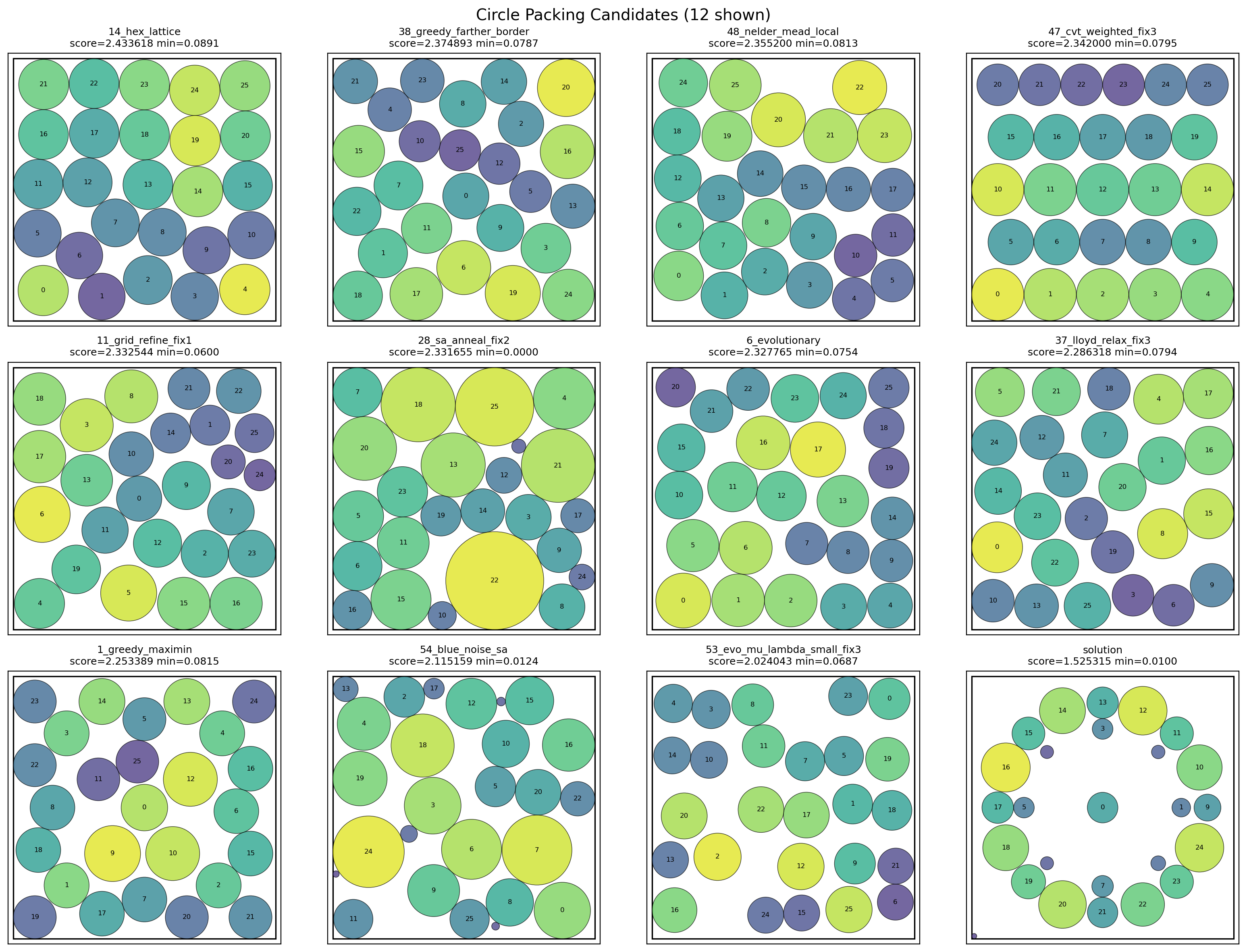
The saved execution graph below is a separate 59-step trace of the same autoresearch loop, capped at 24 experiment submissions. Here are some highlighted moments during the run:
Step 0 / 59 · root receives the circle-packing research task
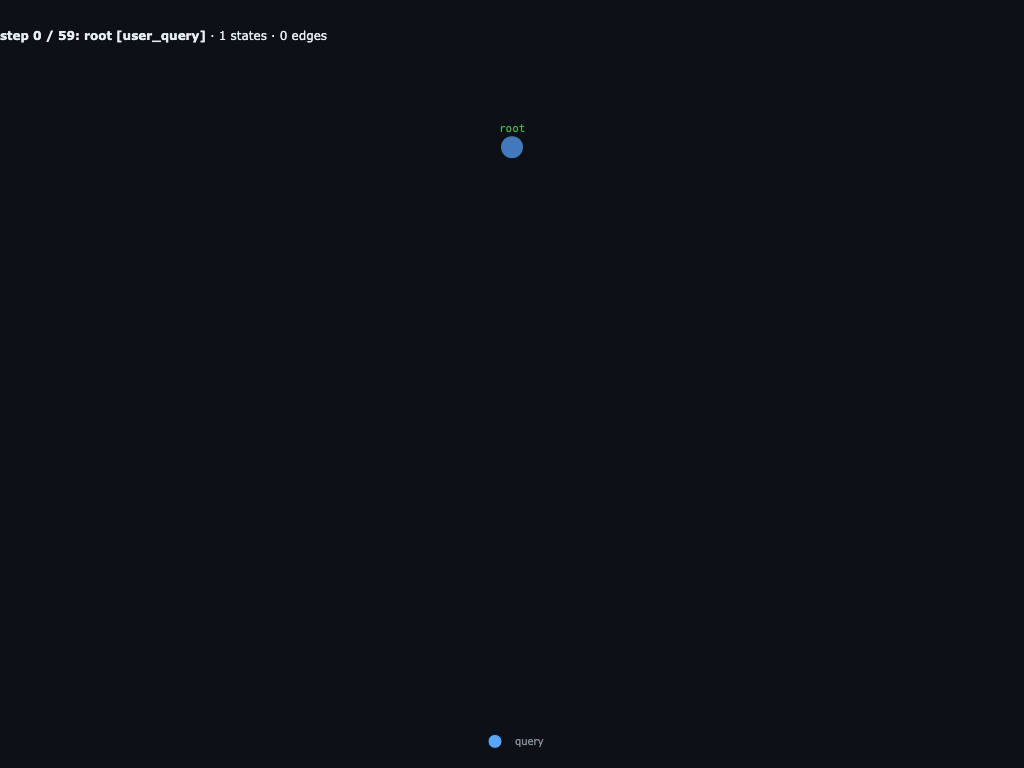
The run starts with one root query: read program.md, run
run_baseline(), then spend a hard cap of 24 experiment submissions
on diverse child trials for packing 26 circles in the unit square. The baseline
is 1.525315; the quoted known optimum is about
2.635.
Step 1 / 59 · root plans the first inspection
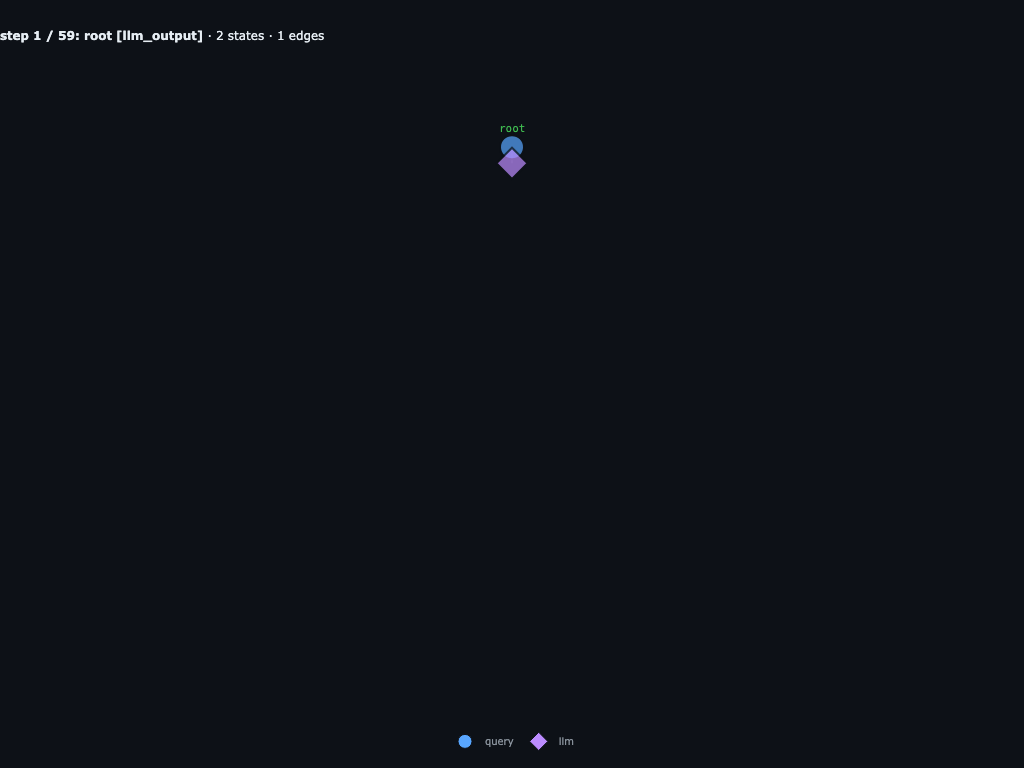
Before any child agents exist, root writes its first REPL plan: inspect
INPUTS, read program.md, run the baseline, check
submission_status(), and prepare a diverse first batch. The graph
starts as a simple root trajectory.
Step 3 / 59 · root launches the first diverse batch
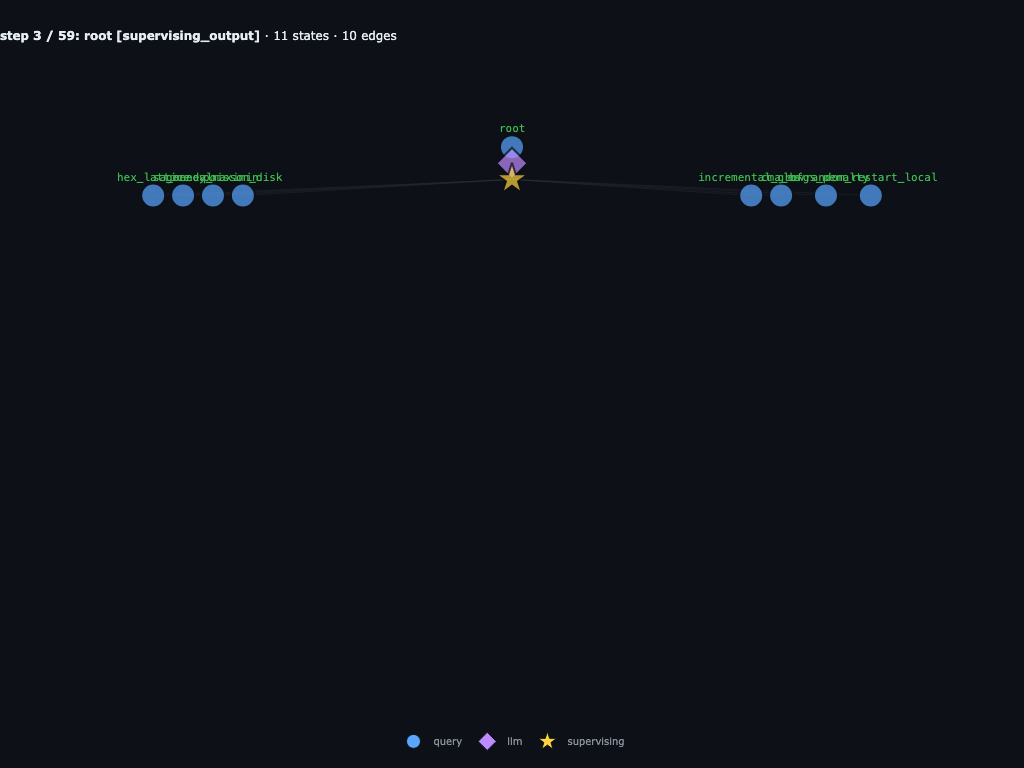
After reading the task, root parks on a supervising node and launches eight
first-wave children: hex_lattice, sa_anneal,
greedy_maximin, poisson_disk,
incremental_grow, cma_es,
lbfgs_penalty, and random_restart_local.
Step 5 / 59 · all first-wave children begin executing
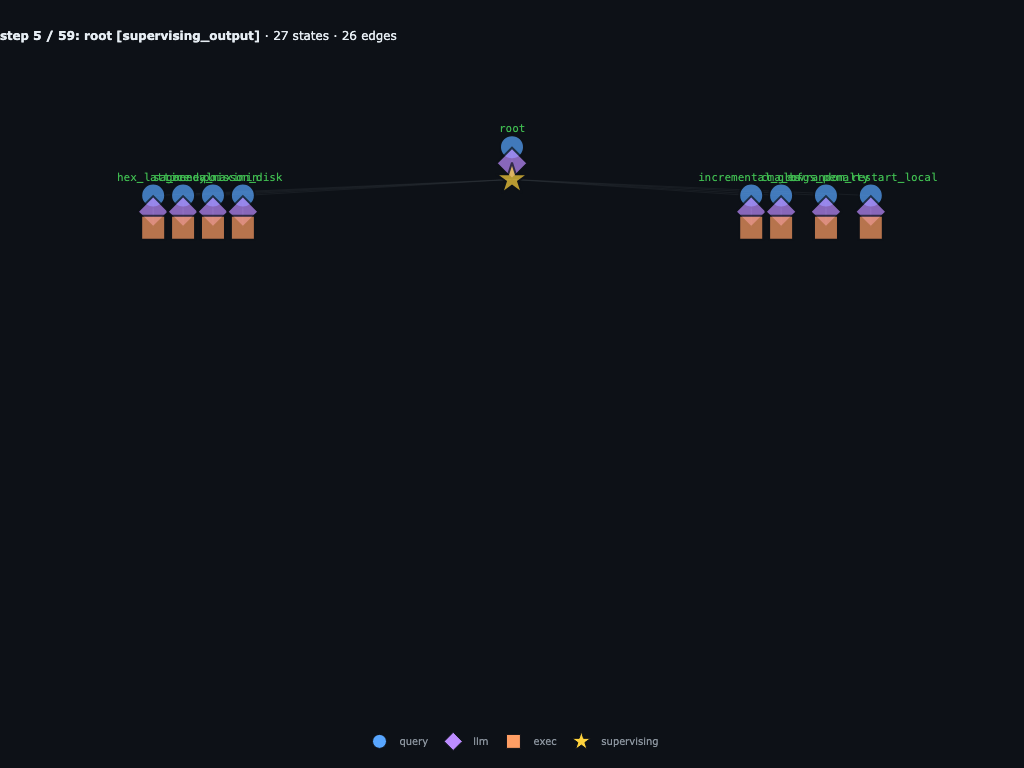
Two steps later, each child has moved from its query into LLM and execution states. This is the first place where the run stops looking like one agent and starts looking like a parallel research tree.
Step 7 / 59 · first results and failures appear
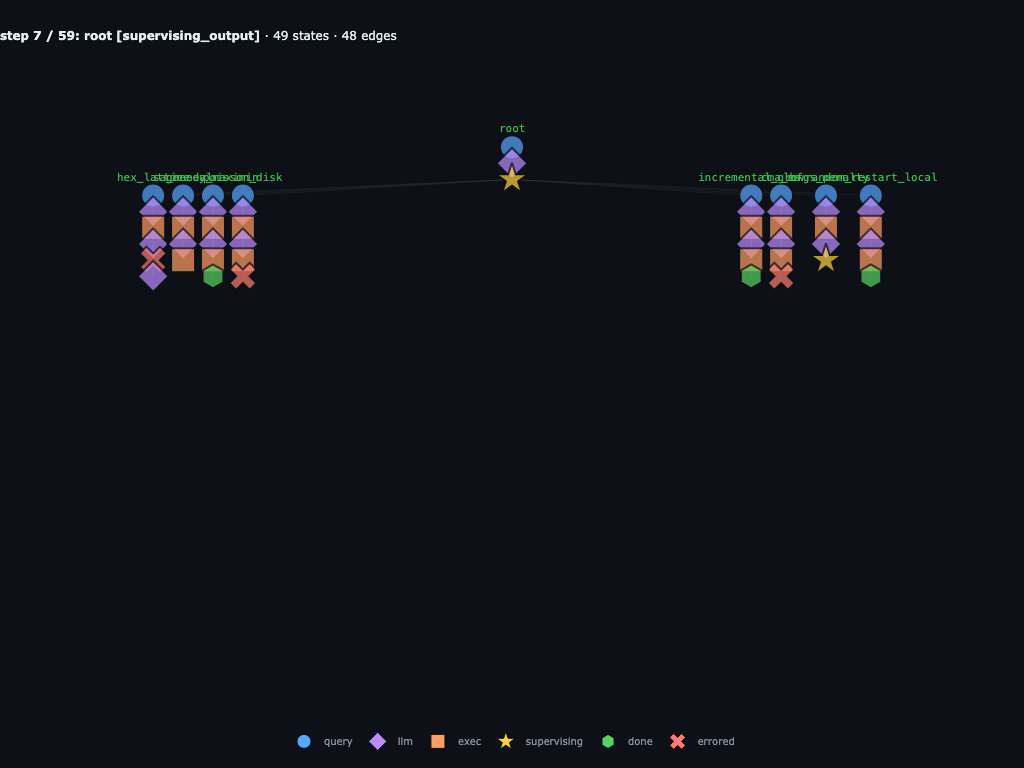
Before the current Step 8 view, the graph already shows useful structure: some children have completed, some have errored, and one branch is parked on its own supervising node. This is why jumping directly from Step 0 to Step 8 felt abrupt.
Step 8 / 59 · wave 1 is fully in flight
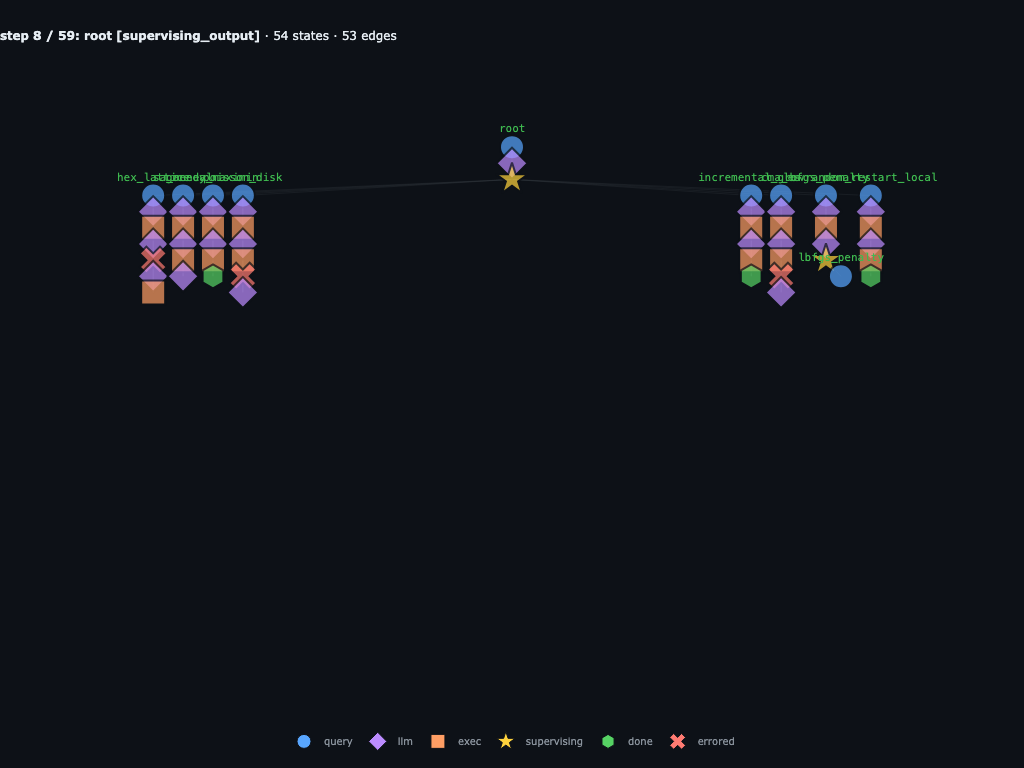
By Step 8, the first wave is no longer just a launch event. The children have produced a mix of completions, crashes, and recursive follow-up work while root stays parked on its supervising node. This frame is the transition from parallel fan-out to accumulated research evidence.
Step 14 / 59 · the first wave is already recursive and errorful
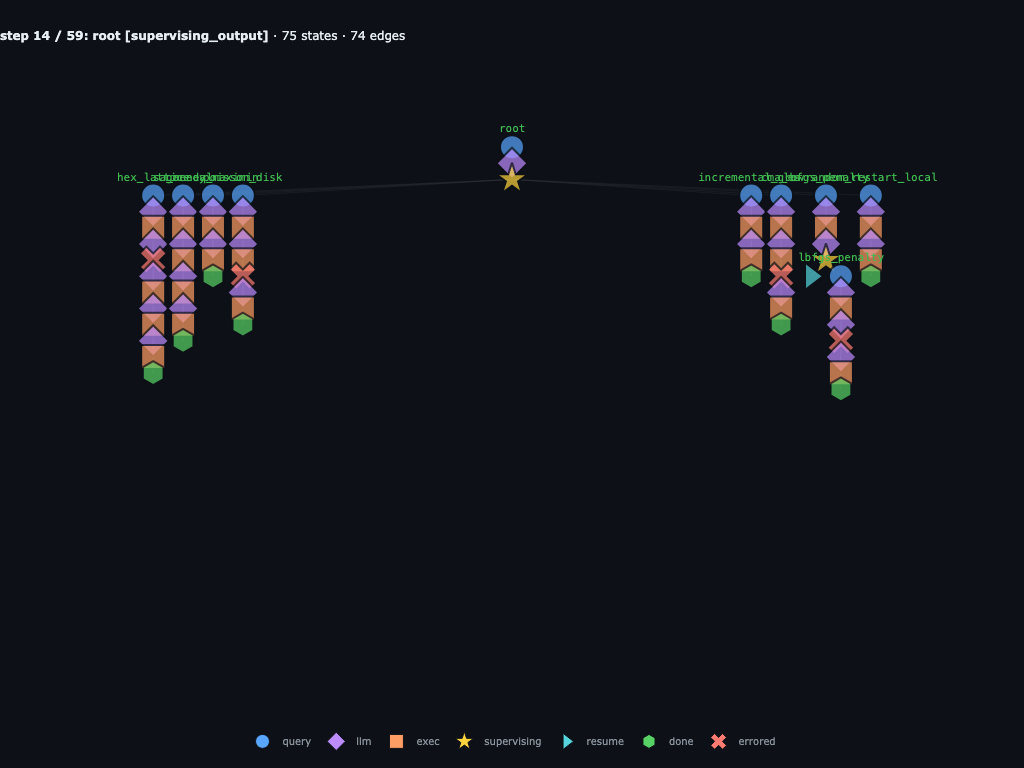
The first batch is not just a flat map call. The graph already records a
mix of completed children, failed children, and a recursive repair under
lbfgs_penalty. Failed branches such as hex_lattice,
poisson_disk, and the first sa_anneal attempt stay in
the trace next to the successful runs.
Step 20 / 59 · root reads the wave-1 ledger
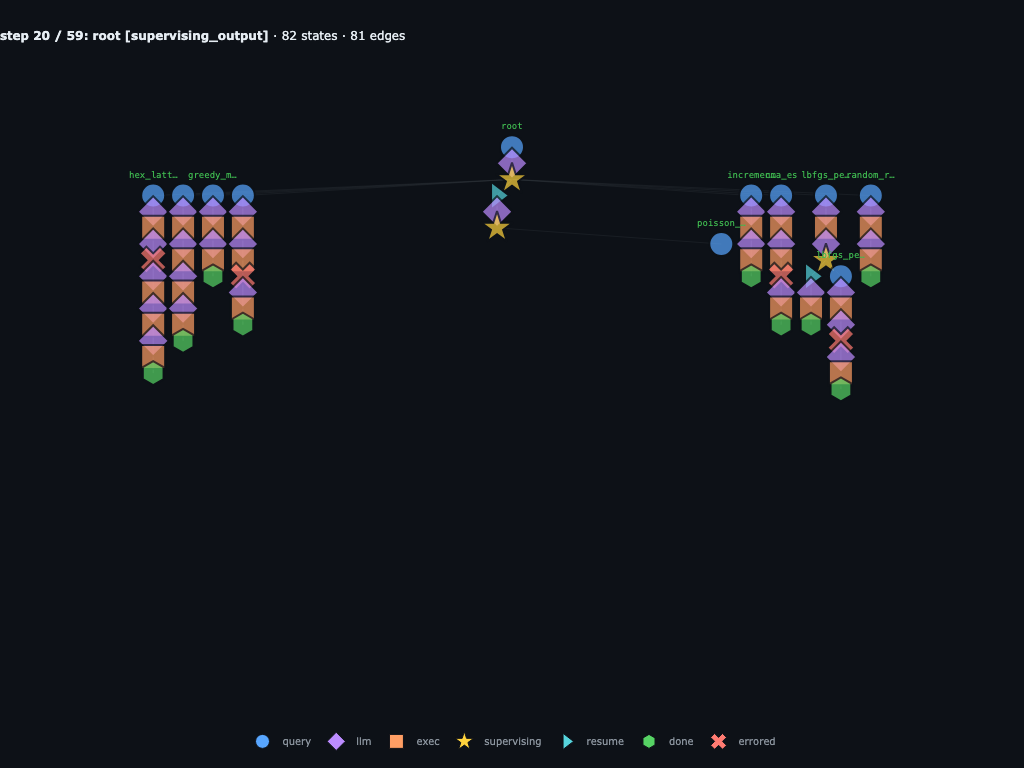
When wave 1 returns, the ledger has 12 rows: baseline plus 11 submissions.
The early leader is sa_anneal_fix1 at
2.462072, followed by cma_es,
greedy_maximin, and hex_lattice_fix2. The graph also
keeps the failed attempts, including the original hex_lattice and
sa_anneal crashes.
Step 22 / 59 · wave 2 mixes refinements and new families
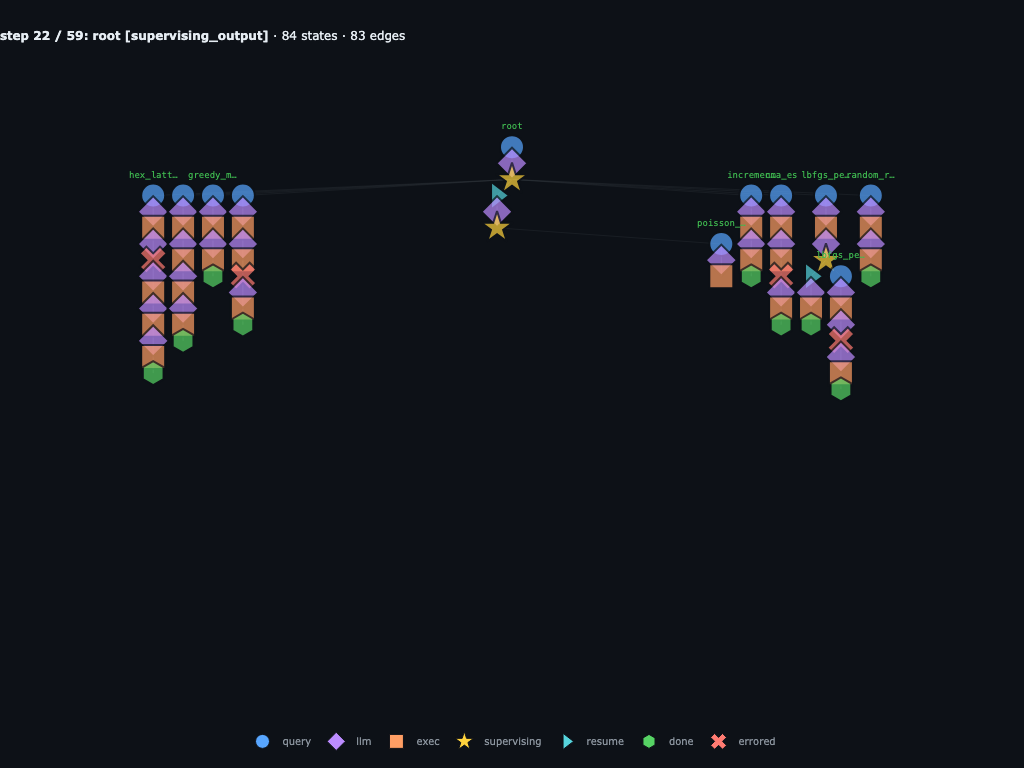
Root sees remaining_submissions = 13 and launches eight more
trials. It mixes fresh ideas like poisson_disk,
es_mu_lambda, and power_diagram_relax with follow-up
refinements such as sa_anneal_restart_r2,
cma_es_boxproj_r2, and boundary_first_fill.
Step 28 / 59 · wave 2 raises the bar
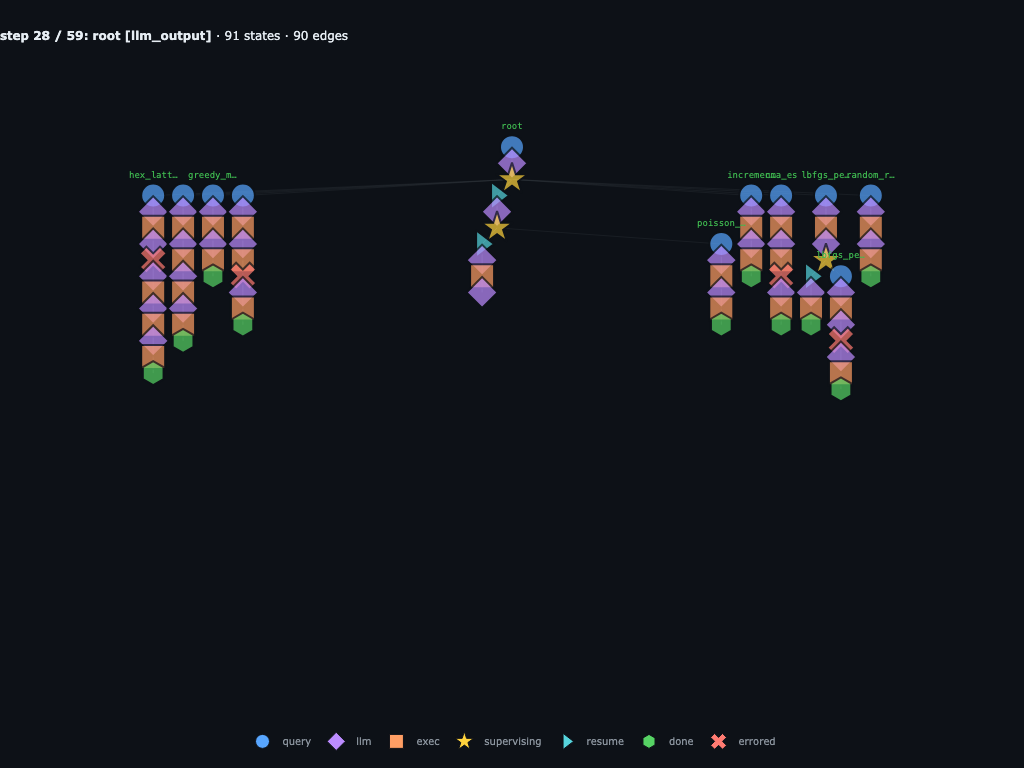
The second wave adds several strong valid runs. cma_es_boxproj_r2
reaches 2.457047, close to the current
sa_anneal_fix1 leader at 2.462072, while
sa_anneal_restart_r2 lands at 2.327979.
Step 33 / 59 · the graph preserves both strong scores and failures
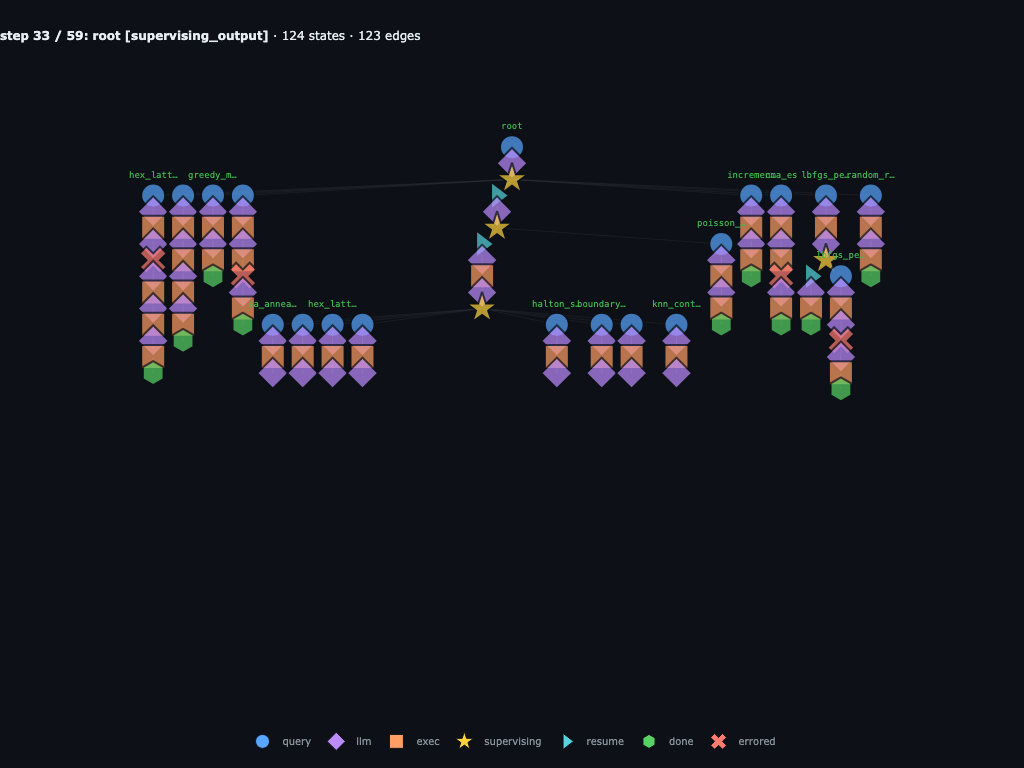
By this point the trace contains both useful candidates and bad branches:
cma_es_boxproj_r2 is a strong runner-up, while
hex_lattice, sa_anneal, and
poisson_disk_fix1 preserve concrete failure modes. The graph keeps
those failures attached to the exact child that produced them.
Step 41 / 59 · root spends the final four submissions
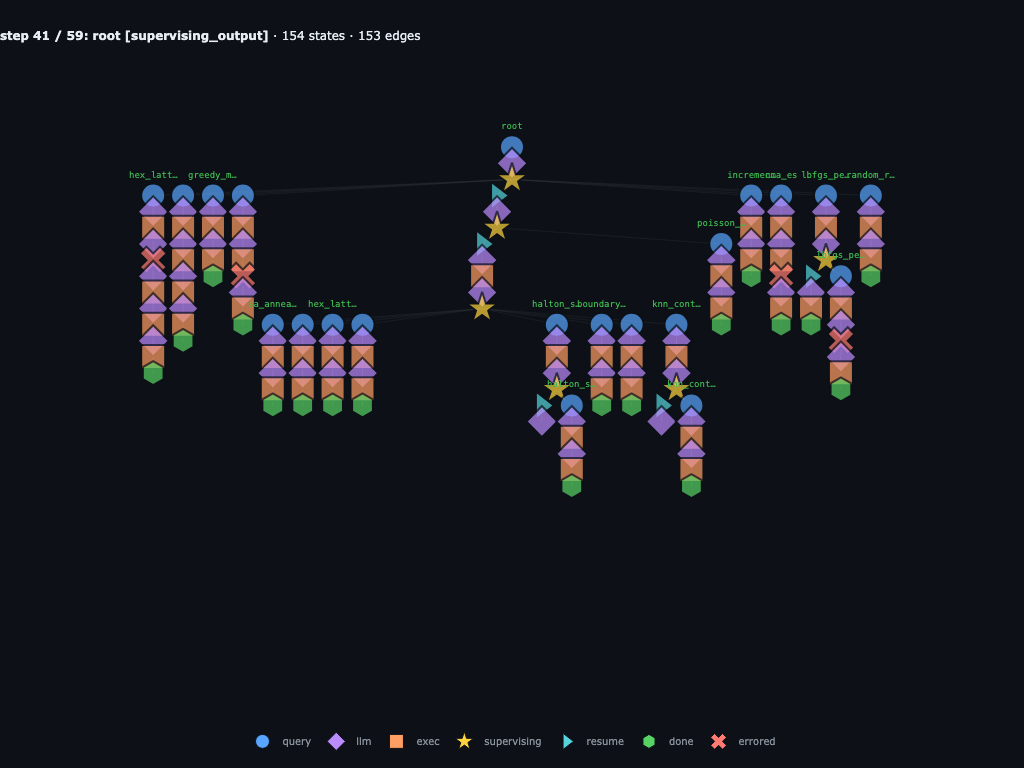
After wave 2, root sees 20 submissions used and
remaining_submissions = 4. The current top runs are
sa_anneal_fix1 (2.462072), cma_es_boxproj_r2
(2.457047), and cma_polish_r3 is still to come. Root spends the
last tries on repulsive_charges,
sa_anneal_cooling_r3, cma_polish_r3, and a repaired
sa_anneal_cooling_r3_fix1.
Step 47 / 59 · final wave adds more recursive sub-searches
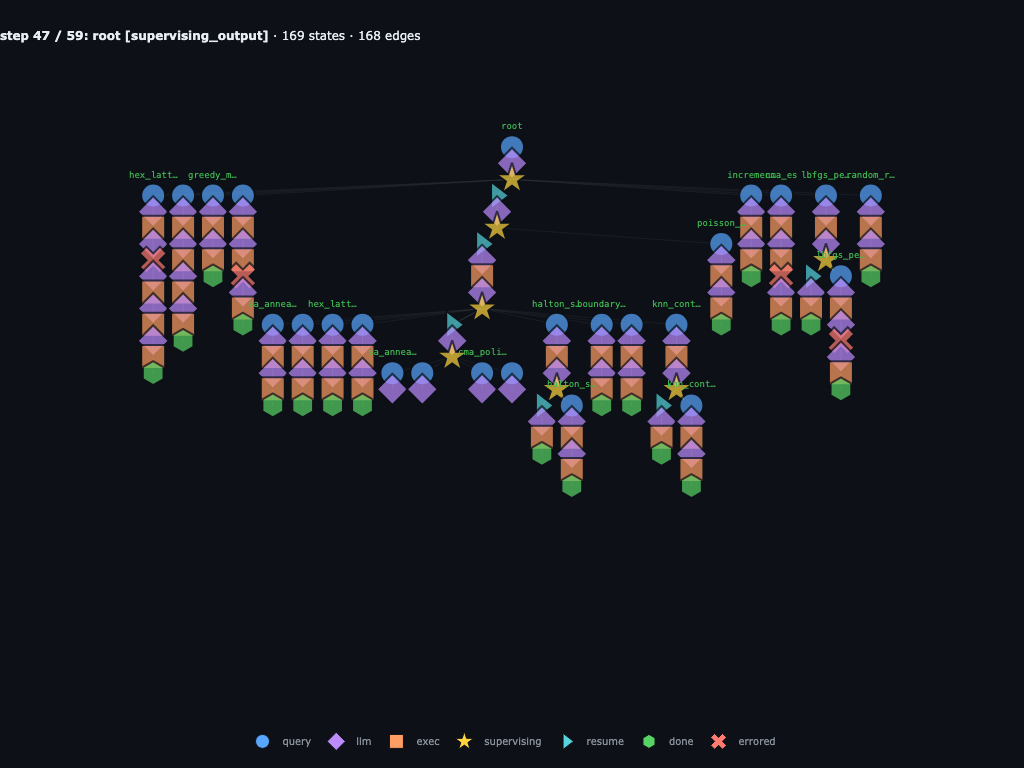
The final wave again branches below the direct children. The graph records
grandchildren under the final strategy attempts, including the
repulsive_charges and sa_anneal_cooling_r3 branches.
This is the trace shape that would disappear if each child only returned a
string summary.
Step 57 / 59 · final submissions are in, including failures
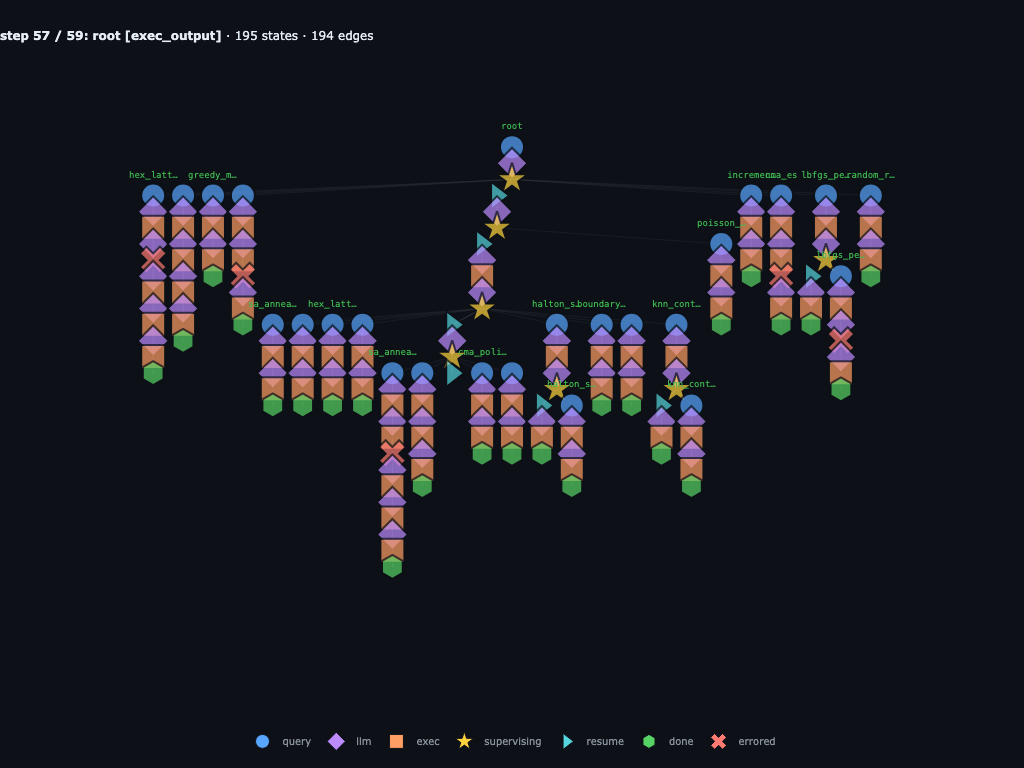
The final submissions include both failures and the winner:
repulsive_charges returns nan,
sa_anneal_cooling_r3 crashes, cma_polish_r3 scores
2.345438, and sa_anneal_cooling_r3_fix1 reaches
2.465827. All of those outcomes remain first-class graph
state.
Step 58 / 59 · root writes the final summary
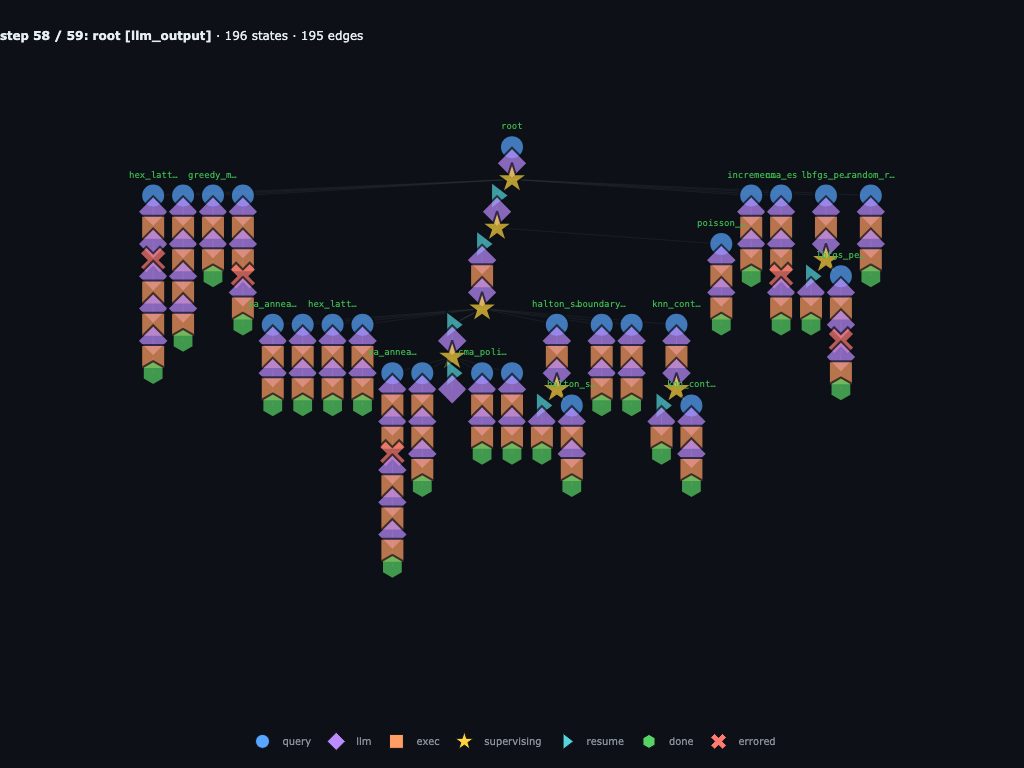
With the submission cap reached, root reads back the ledger and prepares
the final answer. The best run is sa_anneal_cooling_r3_fix1, a
repaired simulated-annealing branch that beats the earlier
sa_anneal_fix1 result.
Step 59 / 59 · root finishes with sa_anneal_cooling_r3_fix1 on top
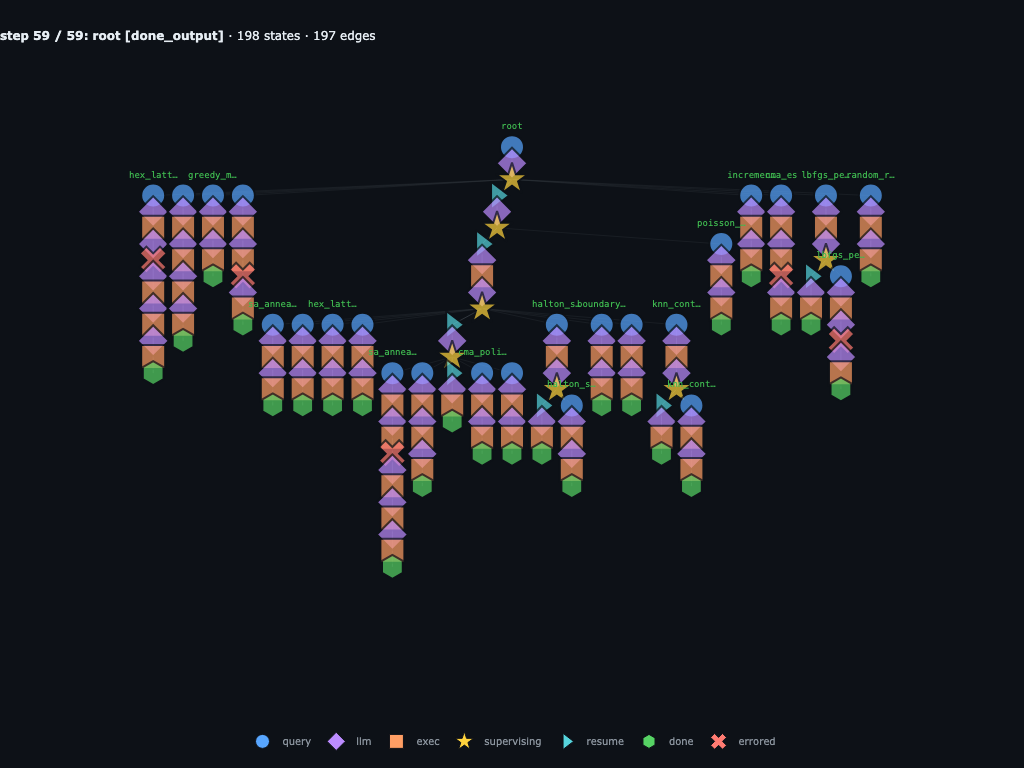
The terminal result is:
best_slug="sa_anneal_cooling_r3_fix1",
best_score=2.465827, total_runs=25, with the 24
experiment-submission budget exhausted. The final graph has
198 states and 197 edges: every candidate
source, score, failed attempt, repair, parent resume, and final summary is
preserved as graph state.
The graph captures the entire research session: every hypothesis the parent tried, every candidate source string each child wrote, every grandchild a child spawned to explore a sub-variant, and every error along the way (hex_lattice, poisson_disk, sa_anneal_cooling_r3, and repulsive_charges all leave useful failure state). This is where the graph matters in practice: the failed source, traceback, parent recovery step, and final score all live in the same run object. The ledger and the graph together make the whole run reproducible from any node.
Injection and graph surgery
One of the most powerful features of recursive-flow is that we can manipulate and inject information into the live recursive graph run. That means we can remove bad code, provide human feedback, and steer the recursive process without starting over.
To demonstrate injection, we use a word-search task. The agent receives a 10x10 grid and must find the target word AGENT. The answer is simple, but the baseline route is intentionally more recursive than necessary: root delegates by direction, and some direction agents delegate again by row or column.
TYPHONQWER
LMNOPQRSAT
ZGXYZLMNGO
ABDDEFGHEI
QRSATUVWNY
JKLMPQRSTF
ABCDEPFGOI
UVWXYZARBC
MNOPQRKSTU
ABCDECARTZ
AGENT
Expected hit:
(1, 8) -> (5, 8)
direction: S
In the baseline run, root inspects INPUTS["grid"], builds a WordHit schema, and launches three direction agents: rows, cols, and diagonals. The rows agent delegates to one child per row, cols delegates to one child per column, and diagonals scans directly. The final root result is structured as WordSearchResult, so the terminal node stores parsed coordinates for the hit instead of a loose text answer.
from typing import Literal
from pydantic import BaseModel

TARGET_WORD = "AGENT"
GRID = f"""Word Search Grid:

TYPHONQWER
LMNOPQRSAT
ZGXYZLMNGO
ABDDEFGHEI
QRSATUVWNY
JKLMPQRSTF
ABCDEPFGOI
UVWXYZARBC
MNOPQRKSTU
ABCDECARTZ

Target Word:
{TARGET_WORD}

Row and Column indices start at 0.
"""

QUERY = """\
Solve the word search puzzle in `INPUTS["grid"]`.

You can approach this problem with the following strategy:
1. The root should first delegate to three child agents: `rows`, `cols`,
    and `diagonals`.
2. Inside row and column agents, subdelegate the actual line searches:
    - `rows` should delegate each row in parallel to its own sub-agent;
    - `cols` should delegate each column in parallel to its own sub-agent.
3. `diagonals` should search diagonals by itself directly.
"""

class WordHit(BaseModel):
    word: str
    start_row: int
    start_col: int
    end_row: int
    end_col: int
    direction: Literal["N", "NE", "E", "SE", "S", "SW", "W", "NW"]

class WordSearchResult(BaseModel):
    found: list[WordHit]
    missing: list[str]

graph = agent.start(QUERY, {"grid": GRID}, output_schema=WordSearchResult)
while not graph.finished:
    graph = agent.step(graph)

result = WordSearchResult.model_validate_json(graph.result())
The resulting baseline graph is:
Step 0 / 18 · root receives the word-search task
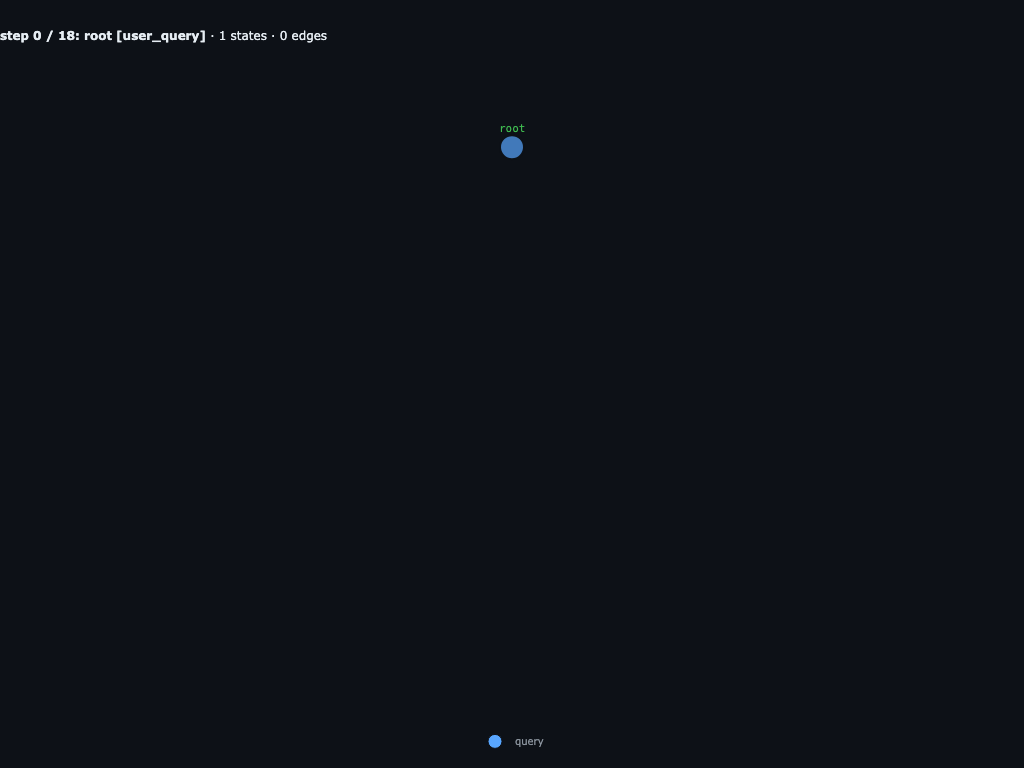
The run starts with one root query and a typed WordSearchResult schema. The grid and target word live in INPUTS["grid"].
Step 1 / 18 · root inspects INPUTS
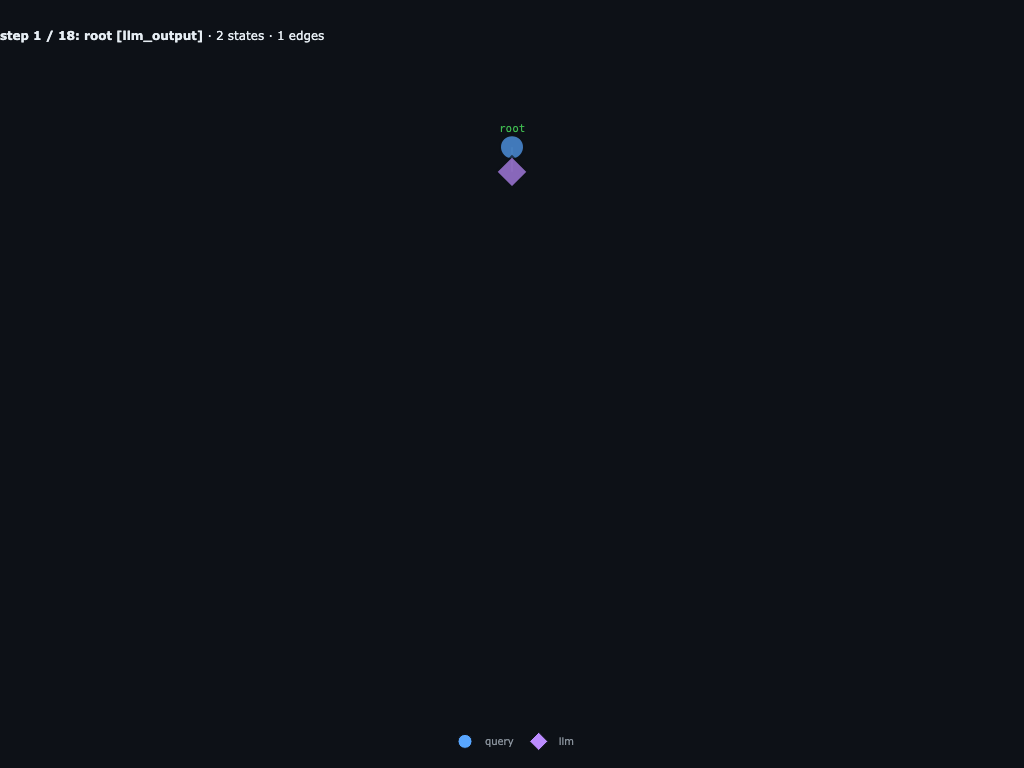
Root first reads the 10x10 grid and the target word AGENT. No child agents exist yet.
Step 5 / 18 · root launches rows, cols, diagonals
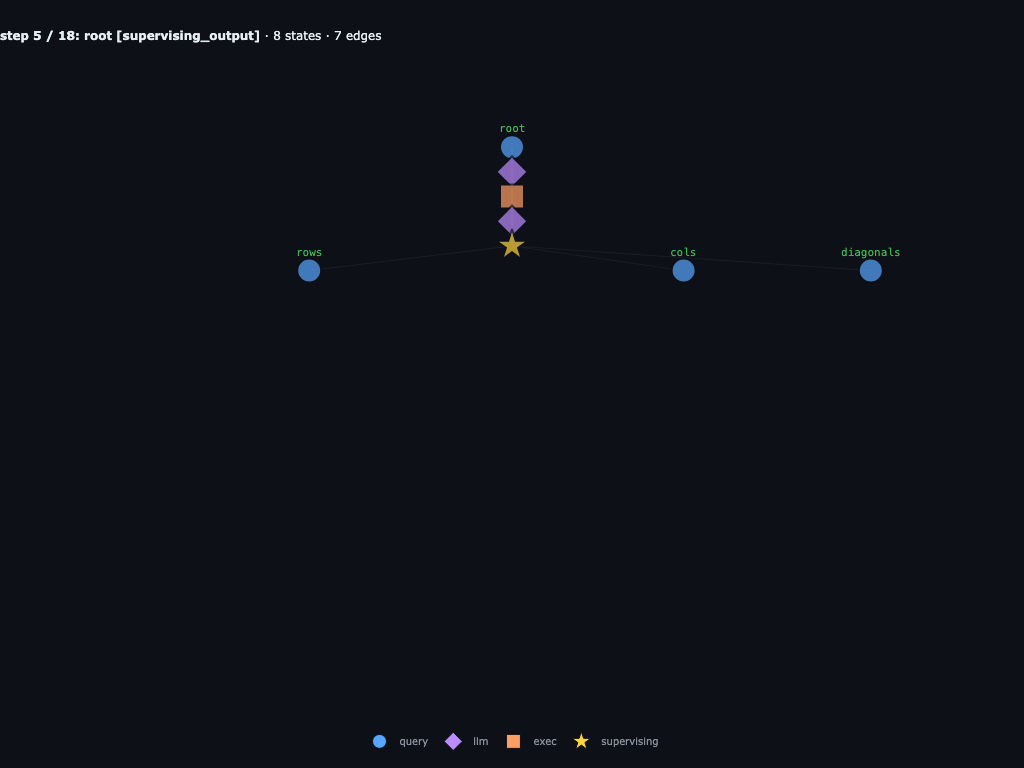
Root builds a WordHit schema, packages route-specific inputs, and waits on three children: rows, cols, and diagonals. This root supervising node is what the direct-scan variation replaces.
Step 10 / 18 · rows and cols fan out
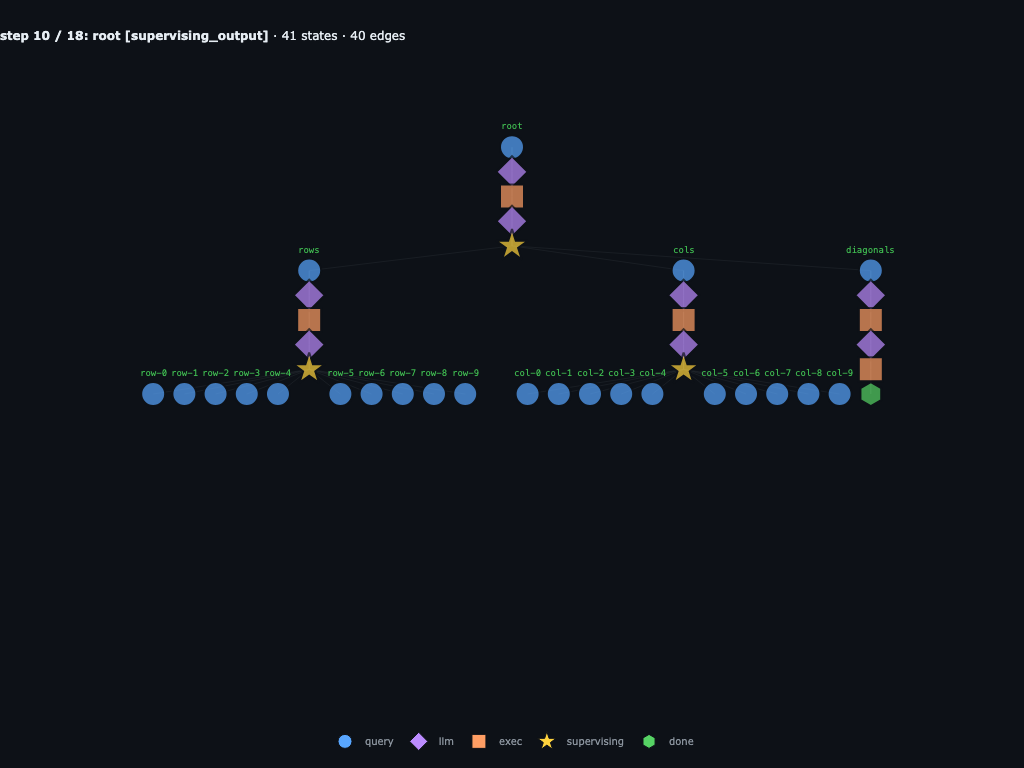
rows launches one child per row and cols launches one child per column. diagonals scans directly and returns an empty list.
Step 13 / 18 · line checks are running
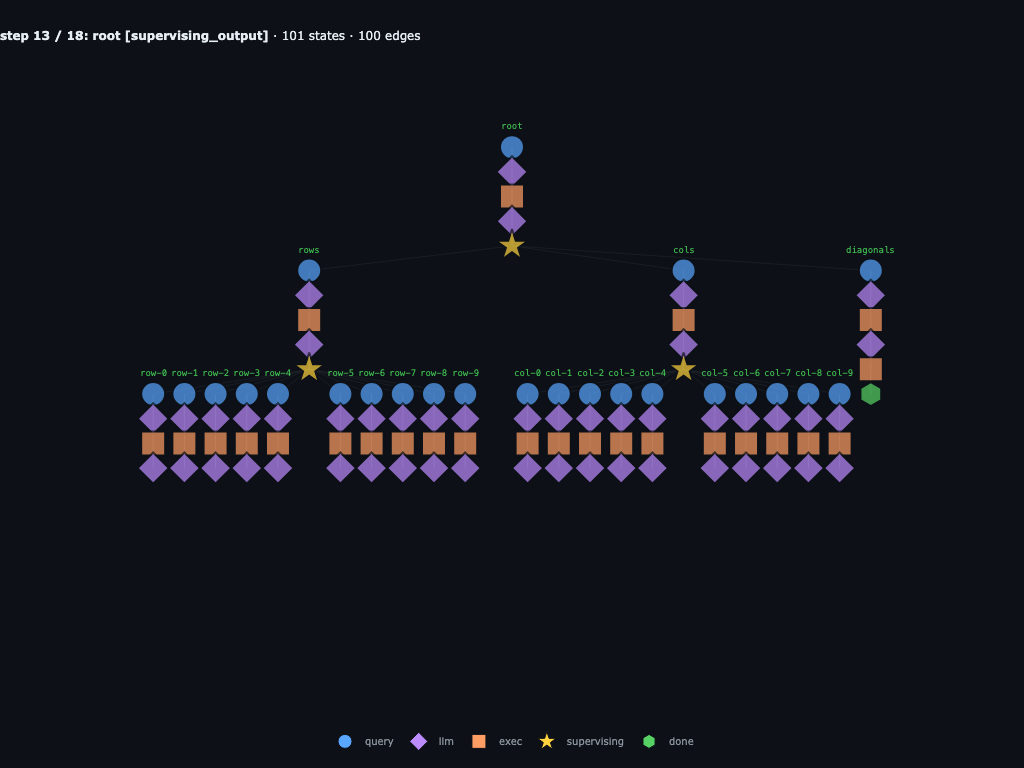
The graph shows the cost of the baseline route: the row children all return empty lists, while the column children are still resolving the only vertical hit.
Step 18 / 18 · root returns AGENT in column 8
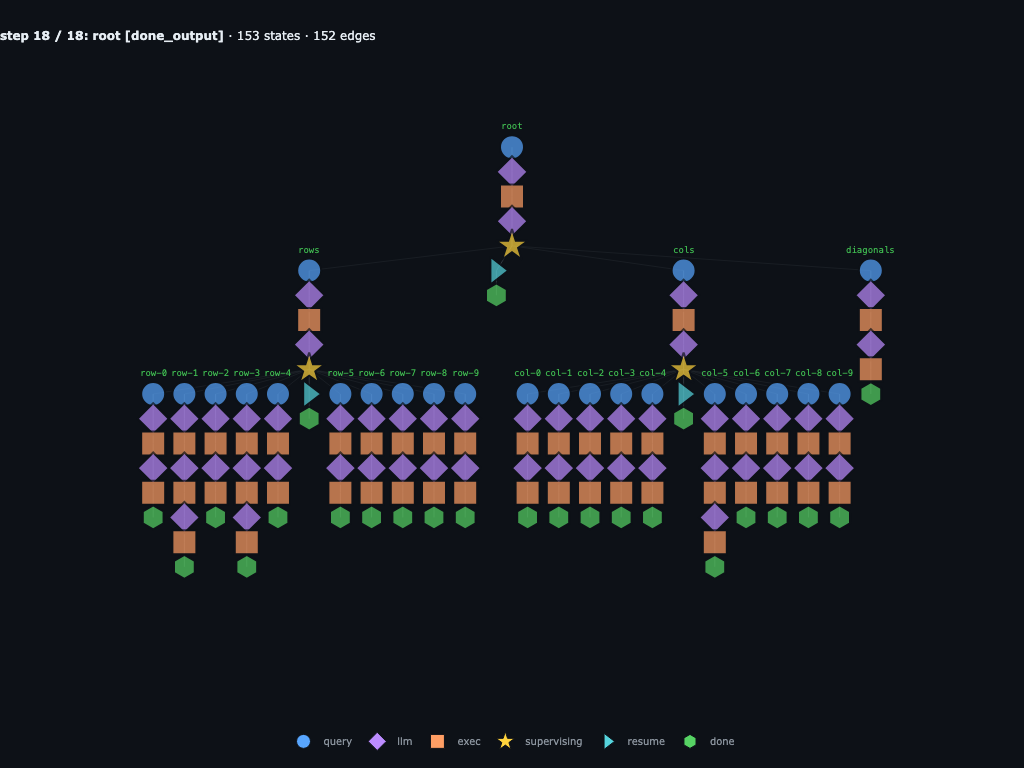
Root resumes with rows_hits=[], diag_hits=[], and one column hit: AGENT from (1,8) to (5,8) in direction S.
Below, we’ll replace certain parts of the recursive graph to steer behavior into a different direction.
Variation 1: inject into the column agent
Here the injected instruction lands inside the saved root.cols agent. In the
baseline, root.cols delegates to ten children named root.cols.col-0 through
root.cols.col-9. With the injection, root.cols stops delegating, scans all
columns locally, verifies the returned coordinates spell AGENT, and returns the
same WordHit list shape the parent expected.
The injected replacement is:
COLS_FUNCTION_PROMPT = """Actually, change the column-agent route.

Instead of delegating each column, search the columns directly with a helper
function.

In the next REPL block:

1. define `find_column_hits(grid: list[str], target_words: list[str]) -> list[dict]`;
2. scan every column in both S and N directions;
3. run the helper and verify each returned coordinate range spells the claimed word;
"""

supervising = find_latest_supervising(graph, "root.cols")
graph = graph.replace_node(
    supervising,
    ExecOutput(
        output=COLS_FUNCTION_PROMPT,
        content=f"REPL output for previous block:\n{COLS_FUNCTION_PROMPT}",
    ),
    truncate="descendants",
)
The resulting graph keeps the row and diagonal branches, but replaces the column fan-out with one local column scan:
Completed baseline · choose root.cols injection point
This is the completed baseline trace: rows, cols, and diagonals have already returned. The circled root.cols supervising node is the historical decision point that we replace before resuming the fork.
Step 0 / 3 · fork resumes from edited root.cols
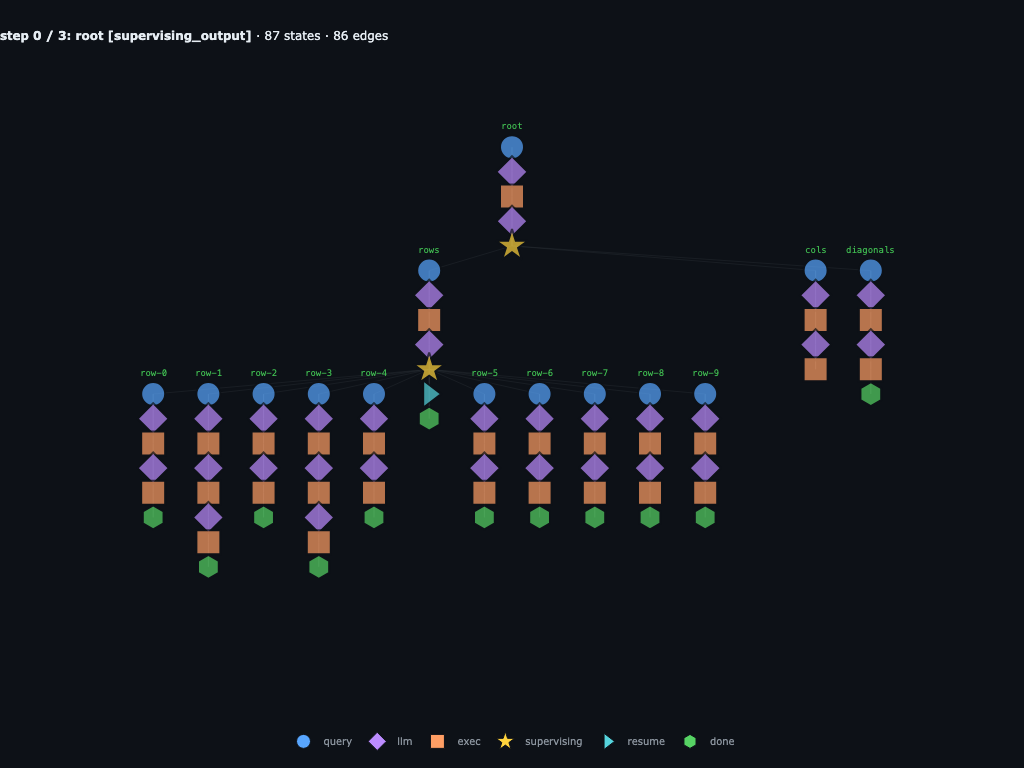
The fork starts at the injected root.cols branch. Instead of replaying the original ten column children, the branch receives a prompt to write one helper function.
Step 1 / 3 · column branch stays local
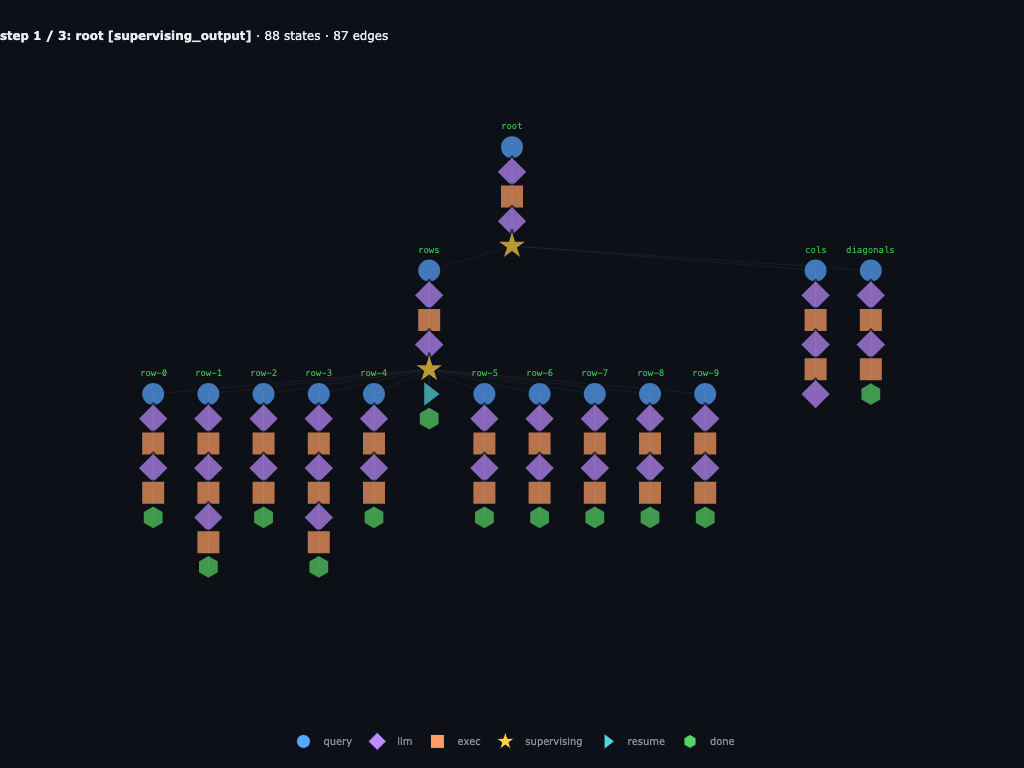
root.cols generates a local find_column_hits helper that scans every column in both S and N directions. The row and diagonal history remains intact.
Step 2 / 3 · direct column scanner finds AGENT
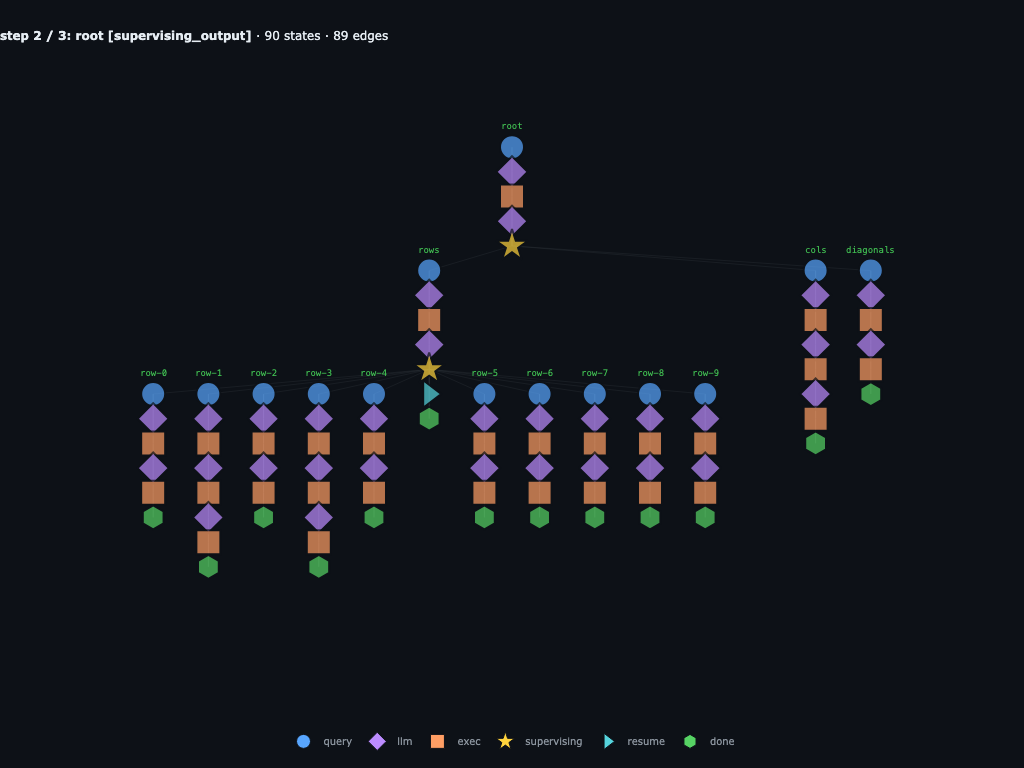
The helper finds the vertical AGENT match, then verifies the returned coordinates spell the claimed word before returning the WordHit list.
Step 3 / 3 · root finishes with the edited graph
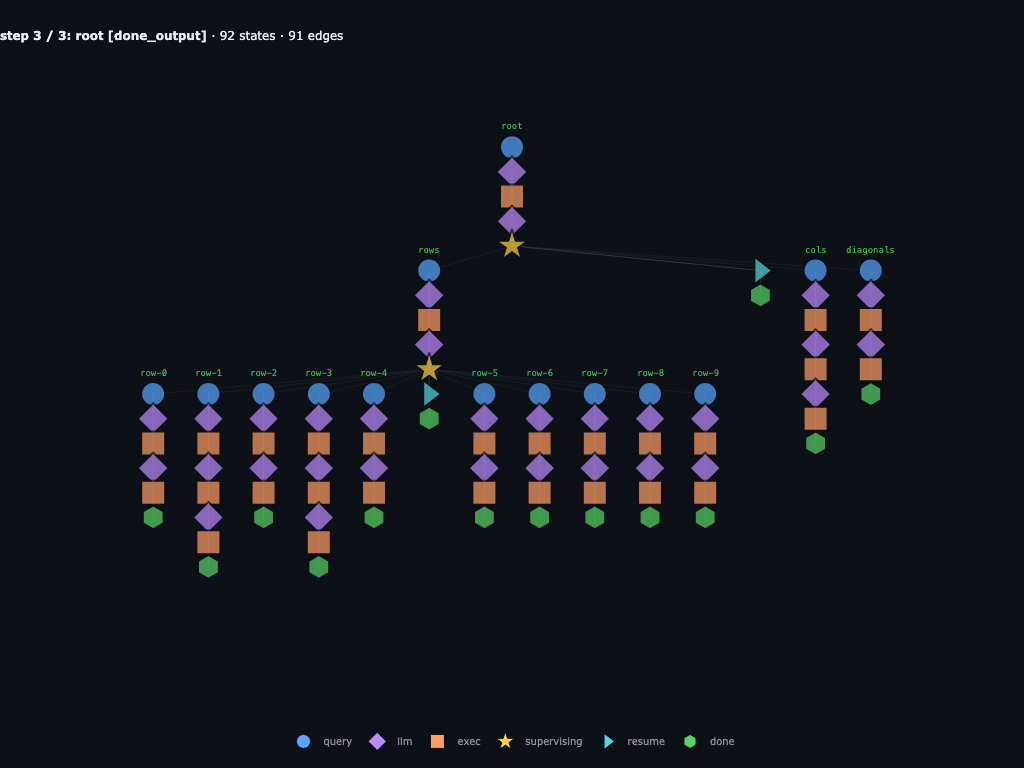
Root resumes from the edited branch with the same answer as the baseline. The row and diagonal history stays, but the column subtree is replaced by one verified direct computation.
After that injection, the resumed root.cols branch generates:
text = INPUTS["grid"]
lines = [line.strip() for line in text.splitlines()]
start = lines.index("Word Search Grid:") + 1
end = lines.index("Target Word:")
grid_lines = [line for line in lines[start:end] if line]

def find_column_hits(grid: list[str], target_words: list[str]) -> list[dict]:
    hits = []
    rows = len(grid)
    cols = len(grid[0]) if rows else 0
    for c in range(cols):
        col_str = "".join(grid[r][c] for r in range(rows))
        for target in target_words:
            L = len(target)
            start = 0
            while True:
                idx = col_str.find(target, start)
                if idx == -1:
                    break
                hits.append({
                    "word": target,
                    "start_row": idx,
                    "start_col": c,
                    "end_row": idx + L - 1,
                    "end_col": c,
                    "direction": "S",
                })
                start = idx + 1

            rev = col_str[::-1]
            start = 0
            while True:
                idx = rev.find(target, start)
                if idx == -1:
                    break
                bottom_index = rows - 1 - idx
                hits.append({
                    "word": target,
                    "start_row": bottom_index,
                    "start_col": c,
                    "end_row": bottom_index - (L - 1),
                    "end_col": c,
                    "direction": "N",
                })
                start = idx + 1
    return hits

def extract_word_from_grid(grid, hit):
    r0, r1 = hit["start_row"], hit["end_row"]
    c = hit["start_col"]
    if hit["direction"] == "S":
        return "".join(grid[r][c] for r in range(r0, r1 + 1))
    return "".join(grid[r][c] for r in range(r0, r1 - 1, -1))

hits = find_column_hits(grid_lines, ["AGENT"])
verified = []
for hit in hits:
    if extract_word_from_grid(grid_lines, hit) != hit["word"]:
        raise AssertionError(f"Verification failed for hit {hit}")
    verified.append({
        "word": hit["word"],
        "start_row": int(hit["start_row"]),
        "start_col": int(hit["start_col"]),
        "end_row": int(hit["end_row"]),
        "end_col": int(hit["end_col"]),
        "direction": hit["direction"],
    })

done(verified)
Variation 2: inject at the root
Here the injected instruction lands higher up, at root. Instead of waiting for
rows, cols, and diagonals, root is told to write one direct scanner. Because
the injection happens above the direction-agent branches, those branches are
pruned from the resumed run. The graph collapses to one root trajectory.
The injected replacement is:
ROOT_DIRECT_SCAN_PROMPT = """Actually, change the root route.

Instead of delegating to sub-agents, write a backtracking algorithm to find the
target word yourself.
"""

supervising = find_root_supervising(graph)
graph = graph.replace_node(
    supervising,
    ExecOutput(
        output=ROOT_DIRECT_SCAN_PROMPT,
        content=f"REPL output for previous block:\n{ROOT_DIRECT_SCAN_PROMPT}",
    ),
    truncate="descendants",
)
The resulting graph prunes the direction branches and continues as one direct root scan:
Completed baseline · choose root injection point
This is the completed baseline trace: rows, cols, and diagonals have already returned. The circled root supervising node is the historical decision point that gets replaced, so those finished branches are pruned from the resumed fork.
Step 0 / 2 · root starts the direct route
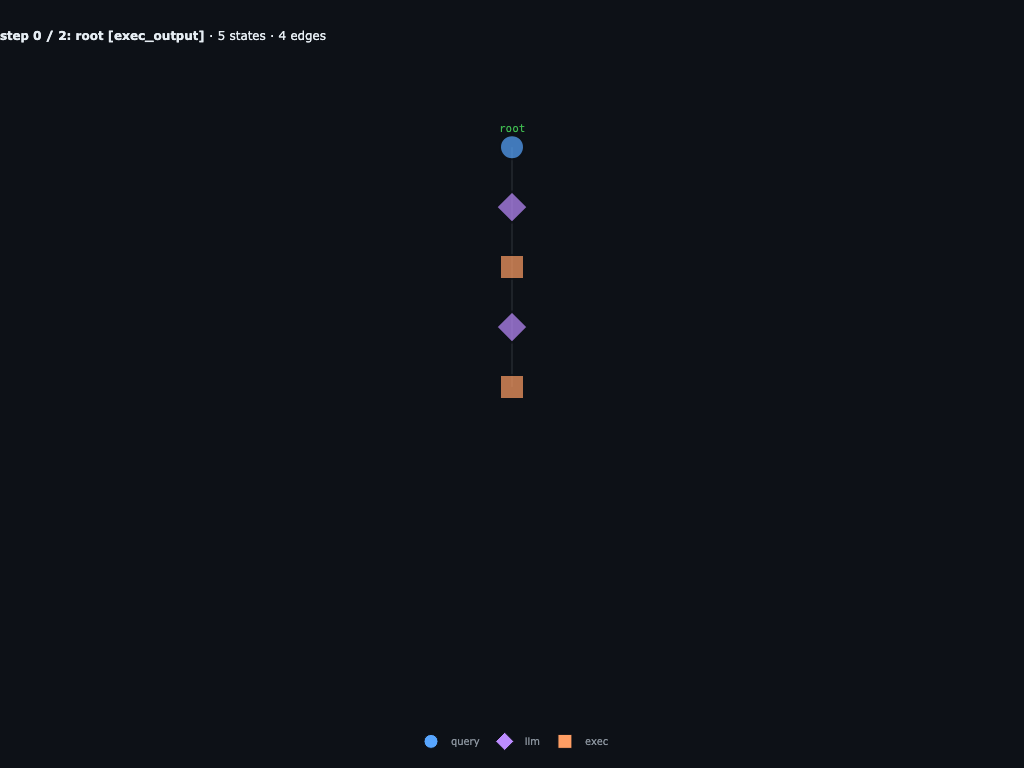
The fork starts at the injected root branch. The replacement prompt tells root to stop delegating and solve the word search itself.
Step 1 / 2 · root generates one scanner
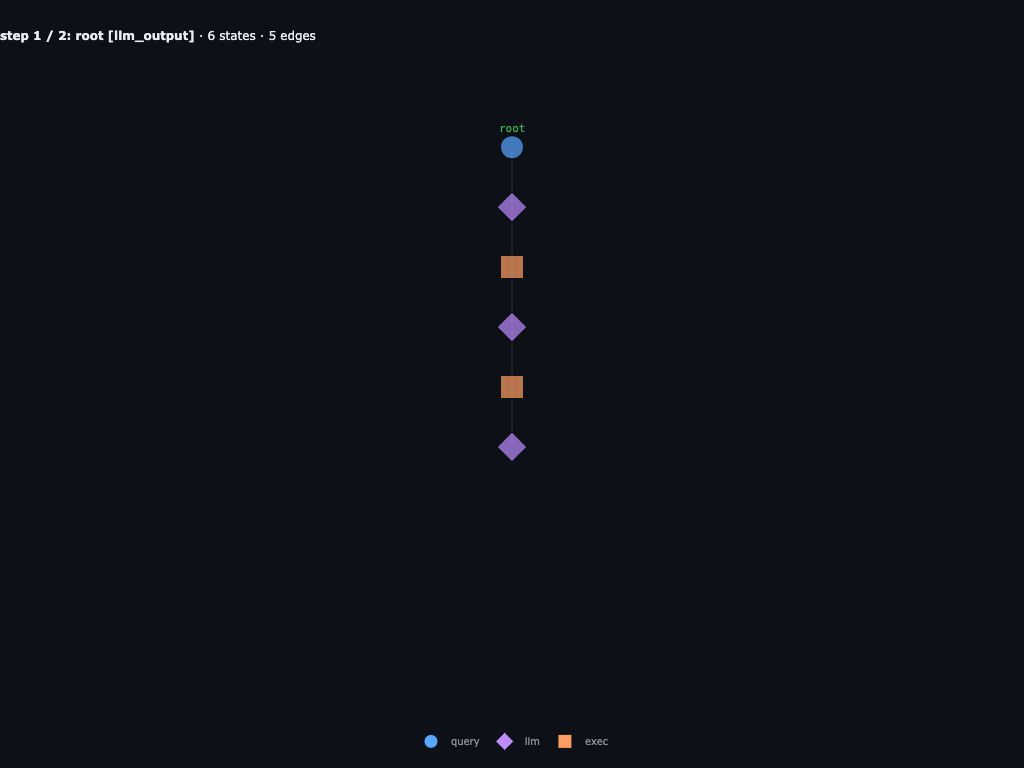
Root parses the grid and target from INPUTS["grid"], then tries all eight direction vectors from each candidate A cell in one Python block.
Step 2 / 2 · root finishes as one narrow branch
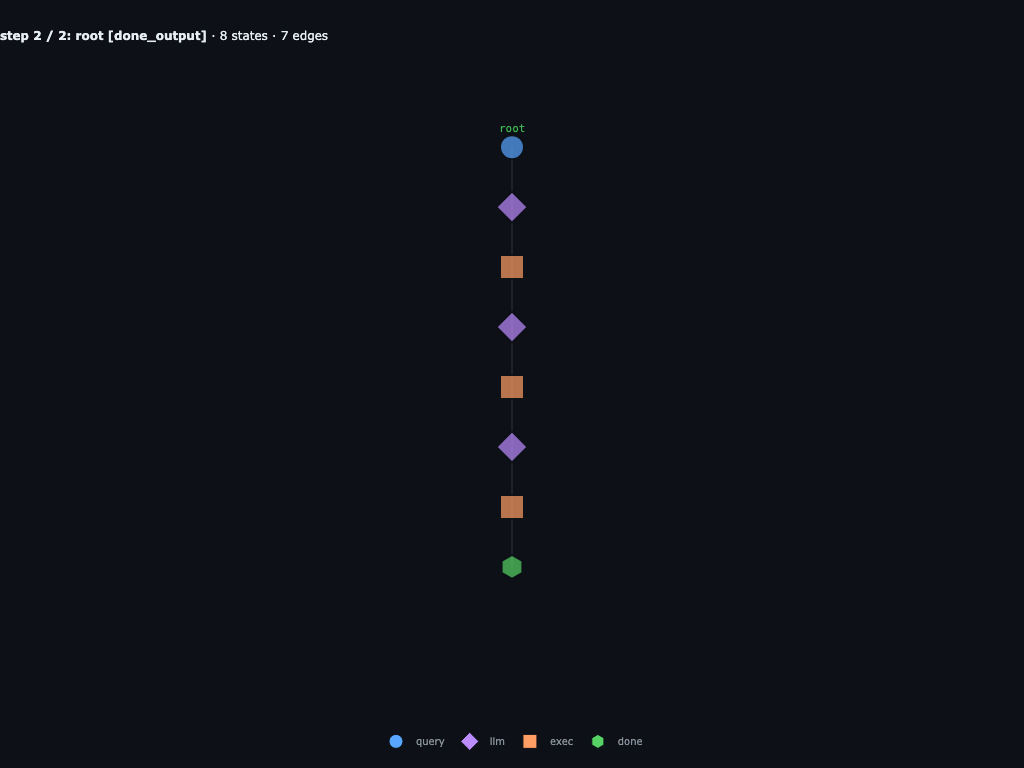
The direct scan returns the same structured hit, (1,8) -> (5,8) in direction S, but the resumed graph has no direction agents, row children, or column children.
After that injection, the resumed root branch generates one all-direction scan:
text = INPUTS["grid"]
lines = [line.strip() for line in text.splitlines() if line.strip()]

start = None
for i, line in enumerate(lines):
    if line.startswith("Word Search Grid:"):
        start = i + 1
        break

grid_lines = []
if start is not None:
    for line in lines[start:]:
        if all(char.isalpha() for char in line.replace(" ", "")):
            grid_lines.append(line.replace(" ", ""))
        else:
            break

target = None
for i, line in enumerate(lines):
    if line.startswith("Target Word:") and i + 1 < len(lines):
        target = lines[i + 1].strip()
        break

grid = grid_lines
rows = len(grid)
cols = len(grid[0])
word = target.upper()

def in_bounds(r, c):
    return 0 <= r < rows and 0 <= c < cols

dirs = {
    "N": (-1, 0), "NE": (-1, 1), "E": (0, 1), "SE": (1, 1),
    "S": (1, 0), "SW": (1, -1), "W": (0, -1), "NW": (-1, -1),
}

found = []
for r in range(rows):
    for c in range(cols):
        if grid[r][c] != word[0]:
            continue
        for direction, (dr, dc) in dirs.items():
            if all(
                in_bounds(r + dr * k, c + dc * k)
                and grid[r + dr * k][c + dc * k] == word[k]
                for k in range(len(word))
            ):
                found.append({
                    "word": word,
                    "start_row": r,
                    "start_col": c,
                    "end_row": r + dr * (len(word) - 1),
                    "end_col": c + dc * (len(word) - 1),
                    "direction": direction,
                })

done({"found": found, "missing": [] if found else [word]})
This is the power of injection: you can keep the parts of a run that worked, replace the decision you want to change, and continue from that exact point in the graph.
Extra features
Beyond the examples above, the repo exposes the graph directly. You can render it, query it, fork it, inject new states, and keep stepping from the modified graph.
Visualization and exports
Because the trace is typed graph data, every visualization is just a projection of that graph — no separate tracing mode to enable.
- Live terminal tree while stepping:
rflow.utils.viz.live(agent, graph)(orprint(graph.tree())on any snapshot). - Gradio viewer for a saved run, graph snapshot, or in-memory trace:
open_viewer("runs/deep_research"), orrecursive-flow view runs/deep_research --port 7861from the CLI. - Static renders via
recursive-flow render: Mermaid flowcharts, DOT/D2 topology, Gantt swimlanes, Markdown reports, token sparklines, error summaries, and more. - Blog/PR artifacts:
save_image,save_steps,save_html, andsave_gifwrite PNG/SVG/PDF frames, self-contained HTML steppers, and animated GIFs straight from a saved run, graph snapshot, or in-memory graph history.
recursive-flow render ./myproject -f mermaid-flowchart
recursive-flow render ./myproject -f gantt-html -o run.html
recursive-flow render ./myproject -f html -o stepper.html
recursive-flow render ./myproject -f image -o hero.png
The viz_walkthrough.ipynb notebook walks through every projection against a saved fixture.
Structured output
Agents and sub-agents can also return schema-validated values instead of loose strings. The important part is that the parsed result is stored on the graph node, so downstream parents and later graph inspection see the structured value directly.
The schema can be a plain Python dict:
weather_schema = {
    "type": "object",
    "properties": {
        "city": {"type": "string"},
        "temperature_f": {"type": "number"},
        "condition": {"type": "string"},
        "bring_umbrella": {"type": "boolean"},
    },
    "required": ["city", "temperature_f", "condition", "bring_umbrella"],
    "additionalProperties": False,
}
or the same schema as JSON:
weather_schema_json = """
{
  "type": "object",
  "properties": {
    "city": {"type": "string"},
    "temperature_f": {"type": "number"},
    "condition": {"type": "string"},
    "bring_umbrella": {"type": "boolean"}
  },
  "required": ["city", "temperature_f", "condition", "bring_umbrella"],
  "additionalProperties": false
}
"""
or a Pydantic model:
from pydantic import BaseModel

class WeatherReport(BaseModel):
    city: str
    temperature_f: float
    condition: str
    bring_umbrella: bool
Then pass it as output_schema:
[weather] = await launch_subagents([
    {
        "name": "sf_weather",
        "query": "Check today's weather in San Francisco.",
        "output_schema": WeatherReport,
    },
])

print(weather["condition"])
Because the parsed value is attached to the output node, the graph keeps both the model’s raw message and the structured result that later steps consume.
Drop-in integrations
Flow also implements LLMClient, so it can replace a plain model anywhere you already pass one:
import rflow

def ask(llm: rflow.LLMClient, q: str) -> str:
    return llm.chat([{"role": "user", "content": q}])

ask(rflow.OpenAIClient(model="gpt-4o-mini"), "2+2?")          # one LLM call
ask(rflow.Flow(rflow.OpenAIClient(model="gpt-4o-mini")), "2+2?")  # full agent loop
You can nest agents by passing one Flow as another’s llm, and pick per-child models through llm_clients={...} on the parent.
Prompt sections are composable too. Static text or callables with signature section(flow, graph) -> str can pull skills, memory, or project docs into the system prompt when relevant:
from pathlib import Path
from rflow.prompts import DEFAULT_BUILDER

skill_path = Path("skills/numpy-linear-algebra/SKILL.md")

def skills_section(flow, graph):
    if not skill_path.exists():
        return ""
    return skill_path.read_text()

flow = rflow.Flow(rflow.OpenAIClient(model="gpt-4o-mini"))
flow.prompt_builder = DEFAULT_BUILDER.section(
    "skills",
    skills_section,
    title="Skills",
    before="tools",
)
For scheduling, eager_children=True lets fast children start their next task while slower siblings are still running — useful when a parent fans out many parallel sub-agents.
Runtimes are pluggable as well: LocalRuntime and DockerRuntime are battle-tested today; ModalRuntime, E2BRuntime, and DaytonaRuntime ship behind pip install recursive-flow[sandbox] for remote execution.
DSPy integration
RecursiveFlowLM lets DSPy programs use a Flow agent as their language model while keeping the same graph-backed trace:
import dspy

import rflow
from rflow.integrations.dspy import RecursiveFlowLM

flow = rflow.Flow(
    rflow.OpenAIClient(model="gpt-4o-mini"),
    max_depth=1,
    max_iters=5,
)

dspy.configure(lm=RecursiveFlowLM(flow, model="recursive-flow/gpt-4o-mini"))
qa = dspy.ChainOfThought("question -> answer")
print(qa(question="What is 17 * 23?").answer)
Install with pip install recursive-flow[openai,dspy]. See examples/providers/dspy_drop_in.py for the runnable version.
For the full feature list, see the repo.
Conclusion
RLMs handle long contexts by letting the model spawn sub-agents recursively. That interface is elegant and powerful, but by itself it can still become a black box: sub-agent calls are opaque, nested work disappears into strings, and the execution trace is hard to steer. recursive-flow keeps the RLM idea and adds the missing control surface: the recursive structure is a graph you can step through, render, inspect, save, load, fork, and edit.
As LLMs get better at coding, strict agent harnesses become less important. The model should be able to decide how to view context, when to delegate, and how to combine results through a normal coding interface. recursive-flow is for people building those systems: long-context agents, recursive coding agents, and research loops where the trace should be an editable artifact, not a dead transcript.
Try it: https://github.com/shyamsn97/recursive-flow.
Acknowledgements
Thanks to Alex Zhang and Omar Khattab for the original RLM work. I really think it’s one of the most important ideas for building LLM agents.
The ypi project for its super clean interface and prompts.
Citation
@misc{sudhakaran2026recursiveflow,
  author       = {Sudhakaran, Shyam},
  title        = {recursive-flow: Graphs for recursive agents},
  year         = {2026},
  howpublished = {\url{https://shyamsn97.github.io/blog/rflow/}}
}
References
Zhang, A. and Khattab, O. Recursive Language Models. Blog post, 2025. URL: https://alexzhang13.github.io/blog/2025/rlm/. Paper: https://arxiv.org/abs/2512.24601. Code: https://github.com/alexzhang13/rlm-minimal.
Prime Intellect. Recursive Language Models in
verifiers. Blog post, 2025. URL: https://www.primeintellect.ai/blog/rlm.Anthropic. Context Rot. 2025. URL: https://www.anthropic.com/news/context-rot.
Chroma Research. Context Rot: How Increasing Input Tokens Impacts LLM Performance. 2025. URL: https://research.trychroma.com/context-rot.
Hsieh, C.-P., Sun, S., Kriman, S., Acharya, S., Rekesh, D., Jia, F., Zhang, Y., and Ginsburg, B. RULER: What’s the Real Context Size of Your Long-Context Language Models? 2024. URL: https://arxiv.org/abs/2404.06654.
OOLONG: Evaluating LLMs on Long-Context Tasks. 2025. URL: https://github.com/oolong-bench/oolong.
Liu, N. F., Lin, K., Hewitt, J., Paranjape, A., Bevilacqua, M., Petroni, F., and Liang, P. Lost in the Middle: How Language Models Use Long Contexts. 2023. URL: https://arxiv.org/abs/2307.03172.
Sun, W., Lu, M., Ling, Z., Liu, K., Yao, X., Yang, Y., and Chen, J. Scaling Long-Horizon LLM Agent via Context-Folding. 2025. URL: https://arxiv.org/abs/2510.11967.
Sutton, R. S. The Bitter Lesson. 2019. URL: http://www.incompleteideas.net/IncIdeas/BitterLesson.html.
Reynolds, C. W. Flocks, Herds, and Schools: A Distributed Behavioral Model. SIGGRAPH ‘87, 1987. URL: https://www.red3d.com/cwr/boids/.
ypi: a recursive coding agent. 2025. URL: https://github.com/rawwerks/ypi.